
Engineering Notes
Power-Failure Test Checklist for an Access-Controlled Door
A power-failure test checklist for an access-controlled door. Use five cases to document which devices stay powered, how people can exit, and what works after recovery.
Before you choose
Key takeaways.
- Record which supply actually dropped, then check the reader, controller, lock and network separately.
- Agree on the entry-side outcome and required egress for each test. Leave an explicit record of any case that could not be performed safely.
- After recovery, witness one grant and one denial and reconcile what the reader, opening and receiving application each recorded.
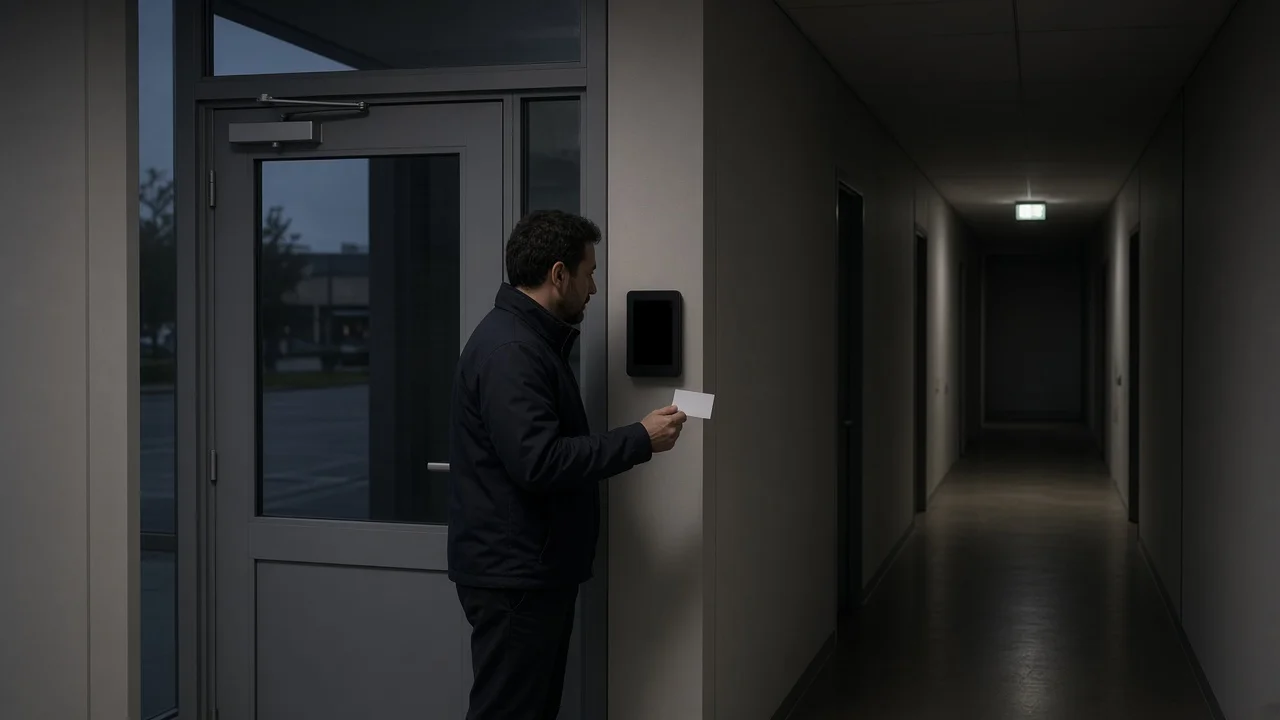
The reader goes dark, but the lock still holds on the entry side. At this fictional service entrance, the facilities lead records both observations. The installer checks the approved door drawing before signing off. The reader and lock may be on different supplies, and the expected result depends on how that particular opening was designed.
Use this power-failure test checklist to record the credential device, controller, lock supply and network path at one access-controlled door. Identify the functions that share power. Record how people can leave during each authorized check, then witness one granted and one denied credential after recovery.
Agree on the expected outcome before the test. The lock’s fail-safe or fail-secure mode describes its entry-side state when the lock loses power. The door record should also state what the reader indicates, how an occupant exits, and which system is expected to record those events.
Four functions can depend on different supplies
Write down, for the actual door:
- The credential device — the reader or face terminal, and the supply listed for that configuration.
- The controller, if the door uses one, and the supply listed for that unit.
- The lock supply — the path that actually powers or holds the lock.
- The network path — the switch, router, or PoE port. This path may carry data only, or data and power. It is a dependency, not a fourth independent supply.
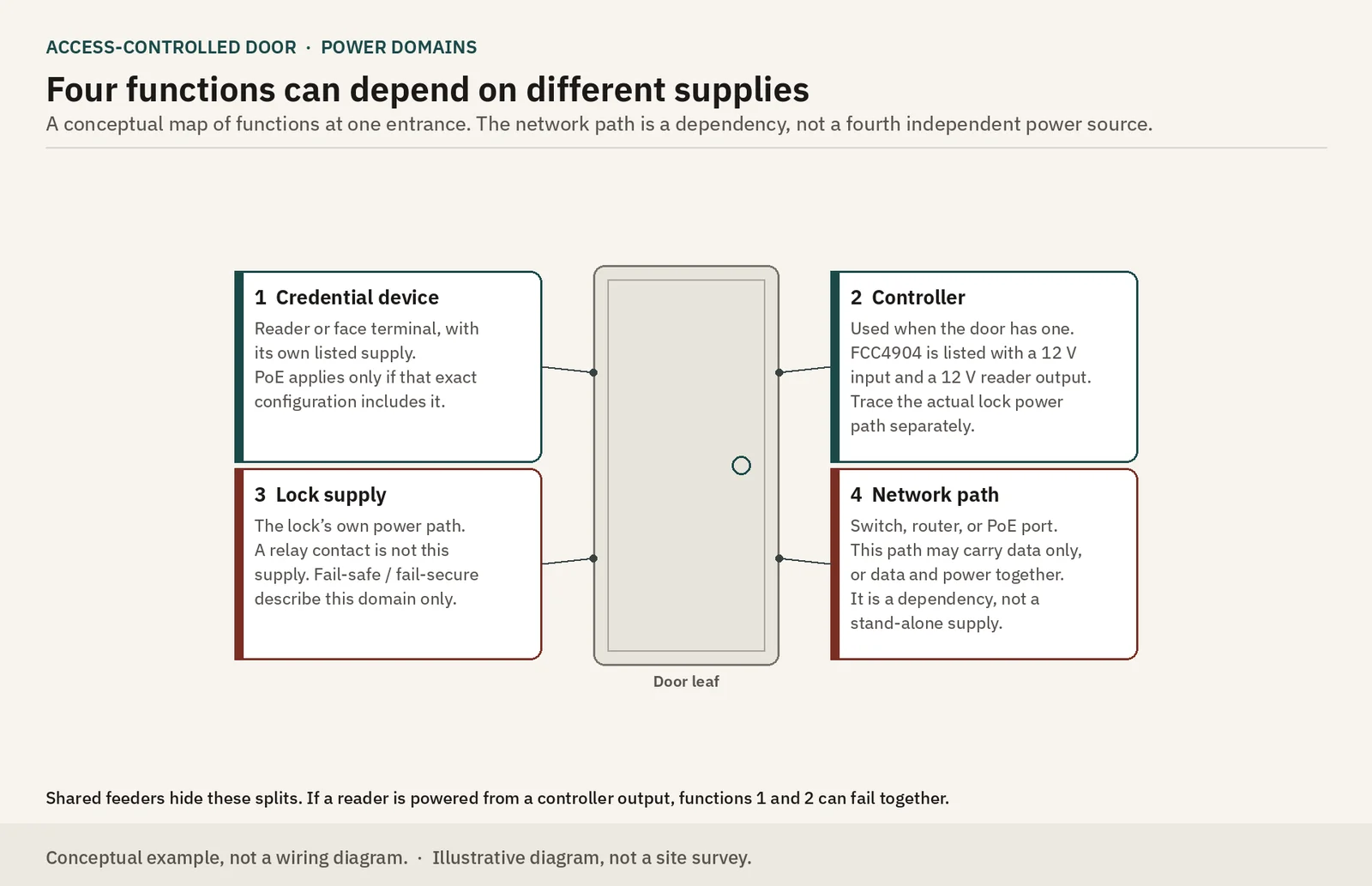
If a reader is powered from a controller’s reader output, taking the controller down may also take that reader down. If a lock shares a feeder with the controller, a “controller only” check may also change the lock. Map those couplings before you treat a building outage as one result.
The five checks
Only a qualified person should isolate a supply, using the instructions for the models actually installed, and only when people can still leave the space by the required egress path. If a check would compromise egress, or the supply cannot be separated safely, write “not isolated” and say why.
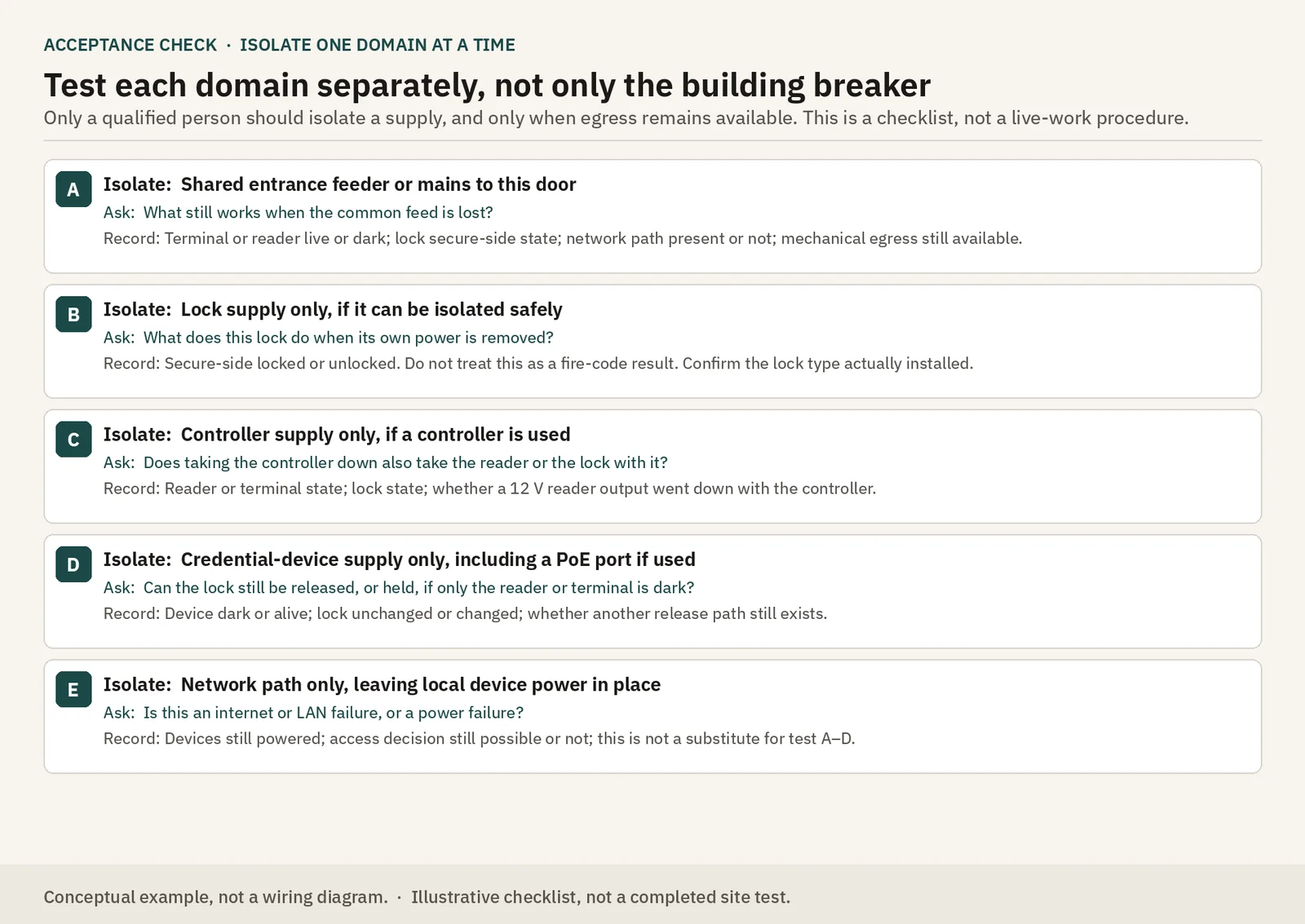
Use the table as a copyable record. A blank cell is not a pass. If a check cannot be performed, write “not isolated” rather than inferring the result from check A.
| Check | What you isolate | What you are trying to learn | What to record | What this check cannot settle |
|---|---|---|---|---|
| A | The shared entrance feeder or mains to this door | What still works when the common feed is lost | Whether the terminal or reader stays live or goes dark; the lock’s secure-side state; whether the network path is still present; whether mechanical egress remains available | Which single function caused the result |
| B | The lock supply only, if it can be isolated safely | What this lock does when its own power is removed | Whether the secure side is unlocked or still locked; the lock type actually installed | Fire-code compliance, or the behavior of a different lock |
| C | The controller supply only, if a controller is used | Whether taking the controller down also takes the reader or the lock with it | Reader or terminal state; lock state; whether a 12 V reader output went down with the controller | Where permission records are stored |
| D | The credential-device supply only, including a PoE port if that is how the installed unit is powered | Whether the lock can still be released, or held, if only the reader or terminal is dark | Device dark or alive; lock unchanged or changed; whether another release path still exists | The behavior of a different power option, or a backup runtime |
| E | The network path only, leaving local device power in place if the design allows it | Whether this is a network failure, or a power failure | Devices still powered; whether an access decision is still possible | Offline permission behavior, which depends on the device application and operating mode |
Match the power drawing to the installed equipment
Ask the installer to mark the actual source serving each device on the drawing. Copy the model, hardware option and firmware to the test record. If a reader and a controller go dark together, the drawing should tell the witness which shared feed would account for both.
The FCC4904 port descriptions distinguish the controller’s power input, reader power output and lock terminals. At a door using FCC4904, ask the installer to identify the cabinet supply and the lock supply on the approved drawing, and to confirm which reader, if any, is fed by the controller. Compare the drawing with the FCC4904 wiring guide for the supplied unit.
The FCV5003 user manual lists PoE on the FCV5003-E-03 and FCV5003-E-04 Ethernet variants. If the installed unit is powered that way, one switch interruption can remove both power and data. Record which dependency the test actually changed. Use the PoE planning guide to check the specified switch and loads before procuring backup equipment.
Test backup duration against the functions you need
Specify what is meant to work at the end of the required interval. In a fictional 30-minute case, the witness records whether the terminal still responds, whether authorized entry works, and whether the required event is visible. A powered display alone cannot satisfy all three observations. The FCV5005 user manual describes an RTC battery for clock retention. List any UPS that serves the terminal, controller or lock separately.
An administrator’s Server Fault question about UPS sizing shows how confusing equipment ratings can become when several devices share a supply. For this door, have the installer document the actual measured load and battery condition alongside the observed run time. The U.S. Department of Energy’s UPS definition describes continuity for the connected load. The test record identifies which door functions that load represents.
Fire, egress, and local rules
Ask the responsible door professional to record entry-side behavior and occupant egress separately for this opening. For a US workplace, OSHA’s exit-route rule, section 1910.36(d), identifies requirements for opening an exit door from inside. Have the project team identify which local rules and approvals apply before agreeing the acceptance test.
A fire-alarm input, if the door has one, is a different signal from a power cut. Door contact, exit button, fire and tamper inputs explains what that input can and cannot prove. If a fire-alarm or emergency-release check belongs in the same acceptance visit, write it as its own case, with the authority having jurisdiction or the project’s fire consultant in the loop.
What to record before you call the door accepted
For each check that was actually performed, record:
- The door, and the exact models and firmware, including whether a PoE option is the installed configuration
- Which function was isolated, and which could not be isolated
- Whether the credential device stayed live or went dark
- The lock’s secure-side state, and the lock type
- Whether mechanical egress still worked
- Whether a door contact, if fitted, reported a change
- Whether the network path was still present
- Who authorized the test, the time, and the state after power was restored
After the installer restores the approved arrangement, repeat a grant and a denial at the same opening using two test credentials. For each result, record the reader response, the observed physical result and the event shown by the receiving application. If the network was involved, check the event time against the time it appeared in the host. The door-event acceptance guide gives a worked example of separating those observations.
Sign off the results the witness could actually confirm. If the first test pattern left a function unobserved or the restored event record is incomplete, assign a named owner and retest time. Give the supplier the door ID, exact model and firmware, approved drawing revision and redacted test record so they can reproduce the question.
Run a network-only test separately
If the project needs to keep working during an internet outage, agree on a separate supervised case with the local equipment still powered. Record whether this installation can decide on entry during that outage and when events reach the host after recovery. Use the guide to cloud-based access control and offline entry to define the operating mode before the test.
References
Put the guide to work
Find the reference for your model.
Compare each device with your requirements. Confirm configuration and compatibility for the complete installation.
FCV5005 →
8-inch face authentication terminal
Ask about FCV5005 ↗FCC4904 →
Access controller
Ask about FCC4904 ↗FCV5003 →
Face authentication terminal
Ask about FCV5003 ↗