Access Controllers

FCC4904

Access controller

Four doors. One connection point.

Bring readers, locks, door contacts and exit buttons together in a four-door access controller. Ethernet connects the controller to your system, with RS485 connections for the readers.

  • 4 door connections
  • 4 RS485 reader ports
  • Ethernet
Door control
4 doorsLock and door-contact connections
Reader connections
4 × RS485Protocol compatibility required
Host network
EthernetConnect to the access system

Inside FCC4904

Organise the connections behind four doors.

FCC4904 brings four door circuits to a central controller. Reader connections receive credential data; lock outputs, door contacts and exit inputs handle the door-side connections. Ethernet links the controller to the host system. Plan each door as a complete circuit before commissioning the installation.

Plan the installation
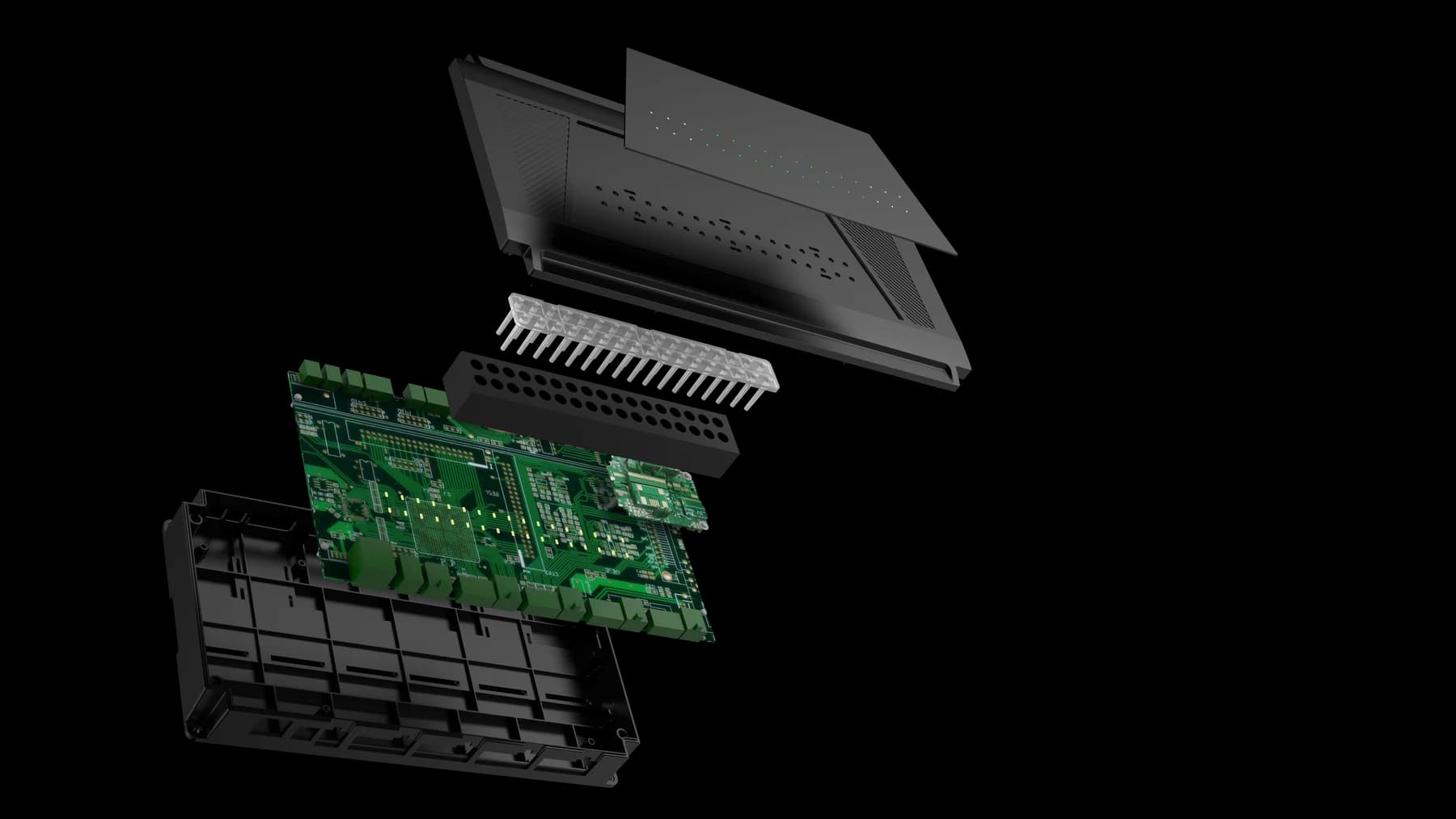
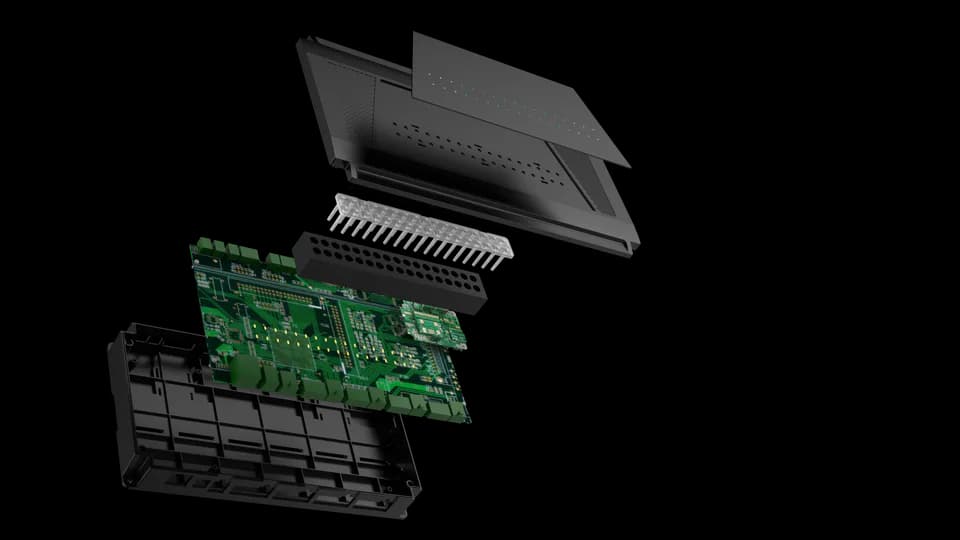
FCC4904 enclosure and controller board assembly
FCC4904 · enclosure and controller board

Choose around your project

The details that
make it fit.

01

Assign each door circuit

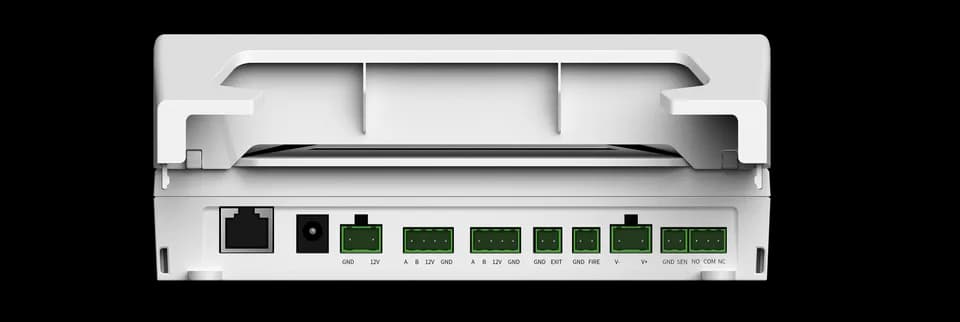
Identify the reader, lock, door contact and exit button for every door. The approved reference labels four RS485 reader ports and four exit inputs.

02

Match the reader protocol

An RS485 interface alone does not confirm reader compatibility. Confirm the reader model, firmware, protocol and cable arrangement with the selected controller configuration.

03

Plan power and special inputs

Use one of the two alternative 12 V power inputs. FIRE and TAMPER inputs are documented; their behaviour must be checked in the complete installation.

From credential to action

How the parts
work together.

This is a functional outline. Use the approved wiring guide for terminal positions, then confirm the actual reader, lock and power arrangement for your installation.

  1. 01

    Present at the door

    A compatible reader supplies credential data to the configured access system.

  2. 02

    Apply the access rules

    The controller and host configuration determine the permitted action for the relevant door.

  3. 03

    Operate and observe

    The door circuit uses the lock output, contact and exit input. Test each door and its feedback before handover.

Example workflow · confirm the configuration and wiring for the supplied equipment.

Technical details

A closer look.

Options vary by configuration. Use these details to plan your evaluation.

FCC4904 specifications
Door connectionsFour lock connections with relay outputs and door-contact inputs
Reader connectionsFour RS485 reader ports
Exit buttonsFour exit-button inputs
Auxiliary inputsFire-alarm and tamper inputs
NetworkEthernet
Power connectionUse one of the two power inputs; external supply input is 12 V

Installation & connections

Plan the fit.

  1. Label the four door circuits and match each lock, door contact, exit button and compatible reader to the approved port reference.
  2. Switch off all control and lock power before connecting. Check the supply voltage and use only one of the two alternative 12 V inputs; do not hot-plug the wiring.
  3. Check reader A/B polarity and the selected lock terminals against the wiring guide. Confirm the reader protocol and firmware before connecting a proposed model.
  4. Commission one door at a time: test credential handling, lock operation, door contact and exit input. Verify FIRE and TAMPER behaviour with the installation’s responsible integrator.

Product resources

Manuals & drawings.

Documents for FCC4904 →
  • FCC4904 port and indicator reference

    Manual · English · PDF · 407 KB

    Download PDF
  • FCC4904 wiring guide

    Integration guide · English · PDF · 344 KB

    Download PDF
  • FCC4904 user manual

    Manual · English · PDF · 792 KB

    Includes the FCC4901 / FCC4904 parameter table. Confirm enclosure dimensions and capacity with the team; the separate port and wiring references are also available.

    Download PDF
  • FCC4901 / FCC4904 shared specification

    Specification · English · PDF · 62 KB

    For FCC4901, FCC4904

    Shared table for single-door and four-door versions. Confirm variant, chassis dimensions and capacity before ordering or installation.

    Download PDF

A few things worth knowing.

Does every configuration include the same features?

No. Credential modules, interfaces, mounting parts, network options and software can vary within the same product family. Confirm the exact model and selected options in writing before designing an enclosure, cable set or integration around it.

Is a network connection the same as a connection to the management platform?

No. A device can have local network access without maintaining its platform or messaging connection. Check the physical network, IP settings and service connection separately, using the indicators or logs available for the selected system.

Why might a successful credential check not open the door?

Identity verification, access permission and the physical control output are separate parts of the workflow. Have a qualified installer check the operating mode, permission result, relay timing, controller output and lock wiring against the installation instructions.

Your next step

Let’s put FCC4904
in your project.

Tell us where it will be used, how it should connect and the quantity you need.

Discuss your project