
Access Control Planning
Access Hardware Pilot Acceptance and Handover Checklist
A practical checklist for piloting access control hardware before full deployment, covering acceptance criteria, testing workflows, and handover documentation. Based on Feocey product references and planning guides.
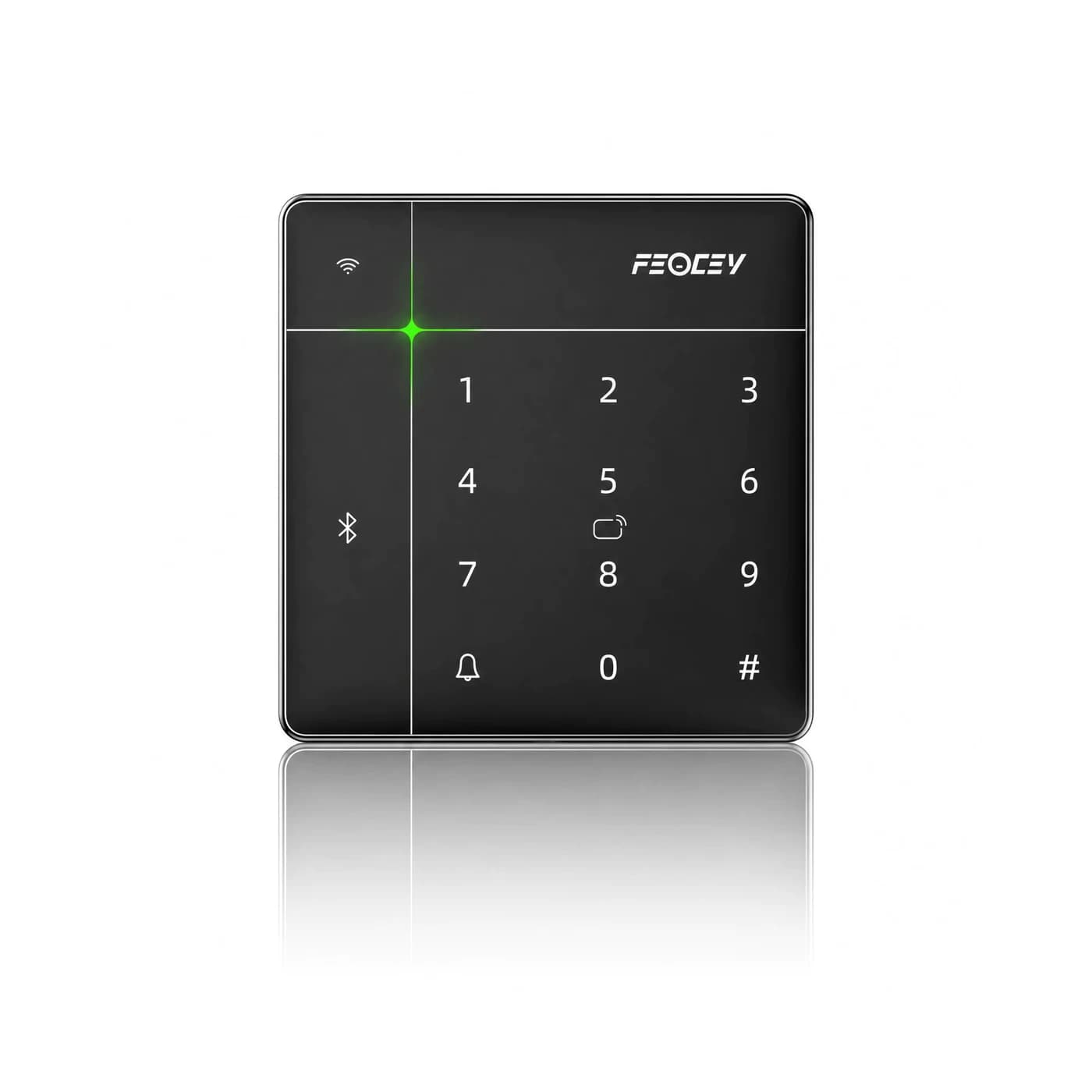
Before you choose
Three decisions to start with.
- Define clear acceptance criteria before starting the pilot.
- Verify electrical and mechanical compatibility using product manuals.
- Test the complete access workflow, including failures and recovery.
- Evaluate user interaction under real environmental conditions.
- Create a comprehensive handover package for the operator.
- Plan a phased rollout with ongoing verification.
Define the Pilot Scope and Acceptance Criteria
A pilot is not a product demonstration; it is a controlled evaluation of the complete access workflow under real conditions. Before installing any hardware, write down what must be true for the system to be accepted. This includes the exact hardware and firmware versions, the credential types, the permission rules, and the expected behavior for normal, rejected, and recovery scenarios.
Use the approved source library to identify the components and their documented capabilities. For example, the FCS525 reader outputs Wiegand 26/34, while the FCC4904 controller has RS485 reader connections. These are different interfaces, and compatibility must be confirmed with the supplier before wiring. The pilot must include the actual integration path, not assumptions based on product family names.
- List the exact models and firmware versions to be tested.
- Define the access decision flow: who grants permission, where it is stored, and which component acts on it.
- Specify the test cases: valid credential, invalid credential, expired permission, network loss, and power recovery.
- Agree on the acceptance criteria with all stakeholders before starting.
Verify Electrical and Mechanical Compatibility
Interface compatibility is only one part of the electrical plan. Record the device supply, lock supply, connector pinout, and relay load for the supplied equipment. The FCS525 manual describes a 12 V DC supply and a 30 V / 1 A relay contact rating; the relay rating is not an instruction to power the terminal at 30 V. Keep supply and contact-rating information separate in the checklist.
For PoE devices, confirm the exact PoE option, power class, and switch capacity. A network port alone does not mean the terminal accepts PoE. Review the complete wiring drawing with the installer, including cable type, length, and environmental conditions.
- Check the reader output and controller input references side by side.
- Verify lock power separately from reader power and control signals.
- For PoE, confirm per-port and whole-switch power budgets.
- Document the final wiring diagram and label all cables.
Test the Complete Access Workflow
Reading a credential and deciding whether a person may enter are separate steps. During the pilot, compare what appears at the entrance with the permission decision and the intended physical door action. Include an allowed credential, a denied credential, and a credential whose permission has changed. Use the actual application and supplied firmware; do not infer behavior from another model's screen or demonstration.
For each test, record the user-visible result, the physical door action, and the host system record. For example, in a gym access scenario, an active membership should grant access, an expired membership should be denied, and a repeated scan should not create duplicate events. Test these cases both online and after disconnection and recovery.
- Test valid, invalid, and expired credentials.
- Verify that a command for one door does not affect another.
- Check offline behavior and recovery without granting withdrawn access.
- Record all outcomes, including rejected attempts and fallback use.
Evaluate User Interaction and Environmental Conditions
The pilot must include the actual entrance conditions: lighting, camera position, ambient noise, mounting height, and approach space. For face recognition terminals, test with representative users and at the busiest times. A laboratory recognition result cannot replace this entrance trial.
For video intercoms, confirm that the call reaches the right destination, audio and video are usable, and only authorized accounts can release the door. Test unanswered calls, busy destinations, and network interruptions. The visitor's next step for each failure should be defined.
- Check screen readability and camera view at the planned mounting point.
- Test with a range of users, including those who may need alternative credentials.
- Verify that the interaction is understandable and provides clear feedback.
- Document any environmental limitations or required adjustments.
Document the Handover Package
A successful pilot ends with a handover package that allows the operator to maintain the system. This includes the door schedule, final wiring, hardware and firmware versions, host settings, configuration backups, and operator instructions. Record who approves later changes and how service is escalated.
For each component, keep the accepted model, configuration, and support contact. Use the matching manuals and model-specific support paths rather than copying settings from a neighboring door with a different configuration. The handover should also include training for adding and removing users, handling exceptions, and reporting issues.
- Retain the door schedule and final wiring diagrams.
- Record hardware and firmware versions for all components.
- Provide operator instructions for daily use and troubleshooting.
- Define escalation paths and change approval processes.
Plan for Rollout and Ongoing Verification
After the pilot is accepted, plan the rollout in phases, starting with one representative entrance. Repeat the acceptance tests for each new installation and keep a per-door record. If a component changes, review the affected part of the arrangement before repeating the installation across more doors.
Schedule periodic reviews to ensure the system continues to meet the acceptance criteria. This includes testing permission changes, firmware updates, and recovery procedures. The goal is to maintain a repeatable acceptance process, not a one-time demonstration.
- Start with one entrance and validate before scaling.
- Keep per-door records of assigned readers, locks, and inputs.
- Review any component changes against the original acceptance criteria.
- Schedule regular audits of permissions and system behavior.
Put the guide to work
Find the reference for your model.
Compare each device with your requirements. Confirm configuration and compatibility for the complete installation.
Discuss your project ↗