
Product selection
How to evaluate a face recognition terminal
Evaluate the complete interaction, integration and operating environment before choosing a terminal.
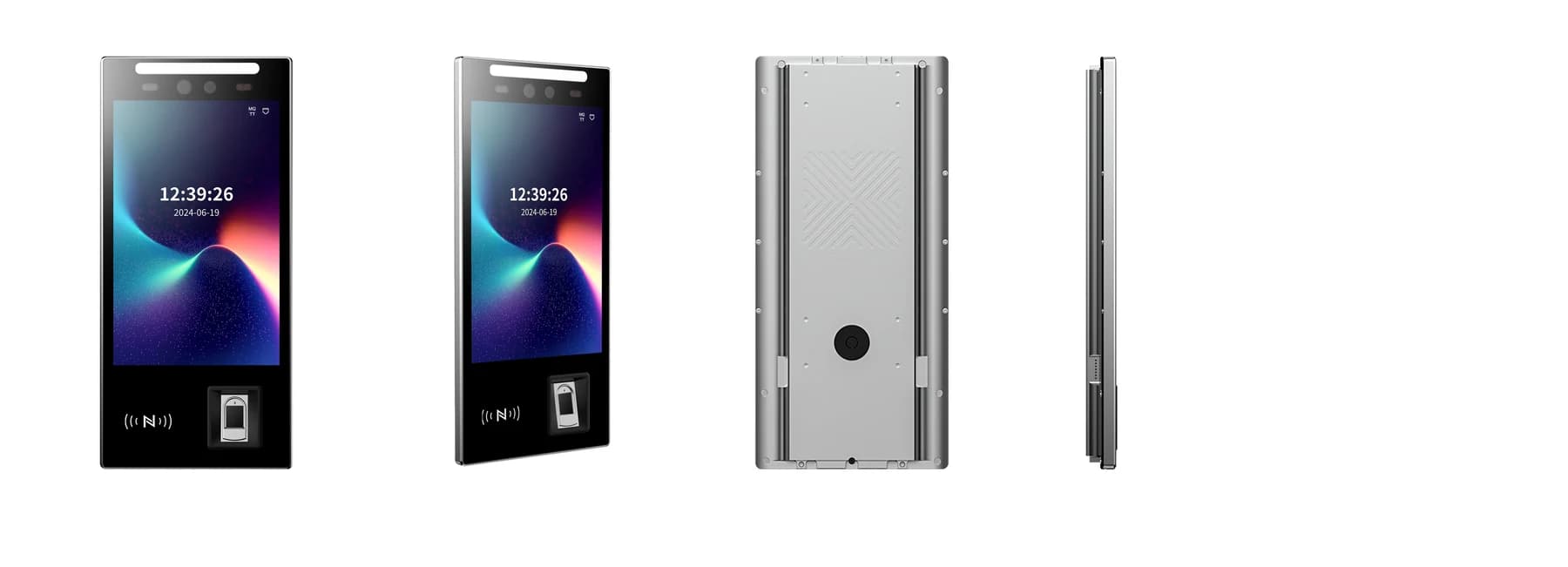
Before you choose
Three decisions to start with.
- Choose around the task, users and installation rather than one recognition-speed figure.
- Check the exact credential modules, firmware and host interface before comparing configurations.
- Evaluate identification, access permission and the physical outcome as separate steps.
Describe the task and the people using it
An office door, a gym gate and an attendance point may all use a face terminal but need different application behaviour. Define who uses it, what identifies them, which system grants permission and what the user sees when the request is refused.
Specify enrolment, expected population, update frequency and the alternative interaction. Confirm whether the application verifies a claimed identity or searches an enrolled population. For an attendance task, keep recording an event separate from permission to enter.
Compare confirmed device differences
FCV5002 has a 5-inch display and Linux platform for a compact interaction. FCV5005 has an 8-inch portrait touch display and Linux platform for a larger on-device interface. FCV4907 combines a portrait touch display with a fingerprint reader. Use these confirmed differences to narrow the evaluation, then check the complete configuration in the corresponding product reference.
Confirm credential modules, interfaces, mounting parts and software for the sample you will receive. Do not infer identical features from a shared family name, or treat different capacity figures in older references as interchangeable. The current product pages retain the relevant version qualifications.
Test identification under your entrance conditions
Ask what conditions produced any quoted recognition result: software version, threshold, population, lighting and test method. False acceptance and false rejection describe different errors. A figure from one test is not an acceptance result for your site.
Test representative users, approach positions and lighting at the planned mounting point. Include backlight and changes across the day where relevant. Evaluate the presentation-attack handling required by the project; camera count alone does not establish that capability. Provide clear feedback and a practical alternative credential.
Check the physical installation
Measure the front area, bracket, rear clearance and cable path. Check whether the camera view and screen reach suit the people approaching the device. A larger display is useful only if the interaction and mounting position make it readable.
Use the supplied model drawing and connector reference for the selected wall or pedestal assembly. Verify power, network and service access. Obtain environmental limits for the exact configuration; an outdoor product photograph is not evidence of an environmental rating.
- Check the actual approach, camera position and screen readability.
- Reserve space for connectors, cable bends and component replacement.
- Match the supply and harness to the selected model and version.
- Repeat the interaction at the site before securing the finished installation.
Trace the result through the host system
Identify where enrolment, identification, access permission, event storage and device management take place. A recognised person may still lack permission for a door or time window. Confirm the host protocol, applicable SDK or API and device firmware before planning the exchange.
Review data access, retention, deletion and handling with the system operator. Use an authorised test dataset during evaluation and keep personal biometric records out of a general support enquiry. The integration brief should describe the required data flow without exposing those records.
Accept the complete workflow
Evaluate a representative unit with the intended application and door or attendance system. Compare the result on screen, host response and physical action or event record. Measure the whole interaction at the expected arrival pattern, including the time users need to understand a rejection.
Keep the accepted hardware, firmware, mounting and application settings with the test record. Include installation, integration, enrolment, software and support in the project estimate. The model links below lead to the matching documents and a preselected enquiry.
- Enrol, update and remove a test user across the relevant devices.
- Test a recognised user who does not have permission for the selected entrance.
- Check duplicate events, network interruption and recovery.
- Record rejected attempts, fallback use and staff interventions as well as successful entries.
Put the guide to work
Find the reference for your model.
Compare each device with your requirements. Confirm configuration and compatibility for the complete installation.
FCV5005 →
8-inch face authentication terminal
Ask about FCV5005 ↗FCV5002 →
Face authentication terminal
Ask about FCV5002 ↗FCV4907 →
Face authentication terminal
Ask about FCV4907 ↗