
Visitor operations
Visitor Pass Solutions: Keep Reusable Badges Accounted For
Visitor pass solutions need a clear physical badge record as well as a visit record. Define issue, return, inspection, missing-card and replacement responsibilities before choosing a reusable badge workflow.
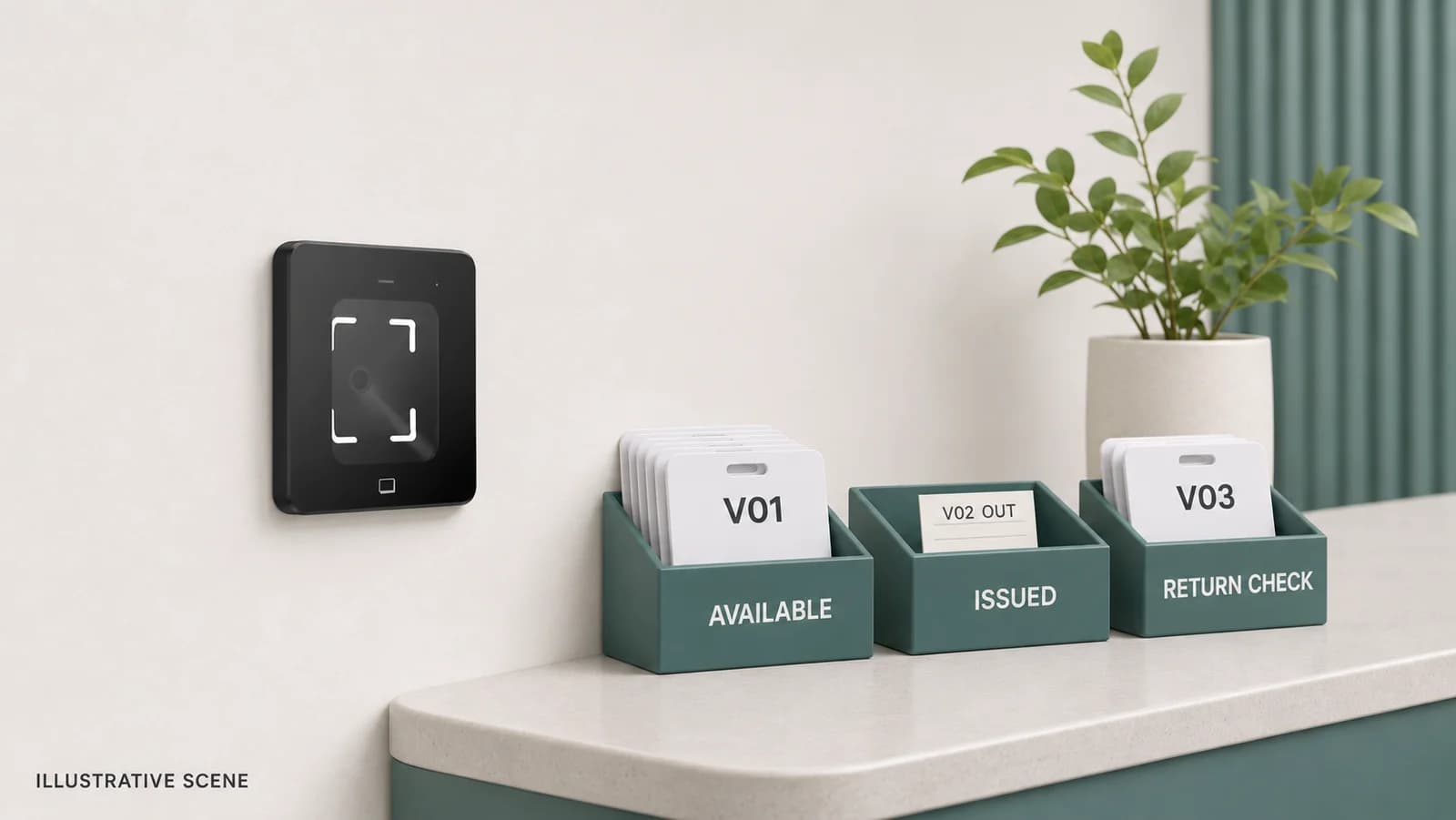
Before you choose
Key takeaways.
- Track the physical card, its assignment to a visit and its permission status separately.
- Keep returned cards awaiting checks separate from cards ready to issue.
- Give missing cards, replacements and shift handovers an owner and a traceable record.
Start with the card you need back
Visitor pass solutions should show where each reusable badge is, which visit it was assigned to and who must resolve an exception. A checked-out visitor can still have a card in a pocket. An expired credential can still be missing from reception. Compare a proposed workflow by following one physical badge from the ready-to-issue tray through a visit and back into controlled stock.
Keep three records distinct: the physical asset, the assignment to a visit and the access permission. They may be connected in one application or maintained through an agreed operating process. Ask the supplier and integrator to demonstrate those connections. A reader accepting a card does not, by itself, prove that reception has a usable inventory or that a previous assignment has been closed.
Give the physical badge an identity reception can use
Choose a visible stock identifier that staff can read during issue, collection and a tray count. Record it separately from the electronic credential value and the visit identifier. Confirm how those values relate in the selected equipment and software; a printed number should not be assumed to be the complete credential data used by the receiving system.
For each issue, capture the stock identifier, relevant visit reference, issue time, issuing operator and expected return point. Record the observed return and the staff member handling it. Define which information reception needs to see and who may correct an assignment. The ledger can use a project-approved manual or software process, provided staff can follow it consistently and explain corrections.
A badge holder and lanyard can have their own replacement needs. Decide whether they are counted with the card or separately. Keep damaged cards and unverified stock out of the ready tray so the visible quantity represents equipment staff can actually issue.
Make the stock states useful at the desk
Use a small set of physical stock states that match reception's actions. Keep permission evidence alongside them as a separate field or linked record. The table below is a proposed operating model, not a claim that a particular visitor platform or reader already provides these states. Agree the actual labels and responsibilities during evaluation.
| Physical stock state | Evidence reception retains | Separate access question |
|---|---|---|
| Ready to issue | Card is present; required checks are complete. | Is it prepared for the next approved assignment? |
| Issued | Card identifier is linked to the current visit. | Who owns the permitted access and its closure? |
| Returned, awaiting checks | Staff observed receipt; check owner is named. | Has the prior permission been resolved? |
| Missing | Last assignment and exception owner are recorded. | What approved action is required for the lost credential? |
| Held for investigation | Card is present but its identity or history needs review. | Who confirms its status before reuse? |
| Retired or damaged | Card is removed from usable stock with a reason. | Has the responsible team addressed its credential? |
Reconcile a shift without hiding a missing card
Consider an illustrative office with 12 reusable cards. At handover, seven are ready, two have been returned and await checks, two are still issued, and one is missing. The total remains 12 identified assets. Reception has nine cards in its possession, but only seven ready to issue. Reporting nine available would send the next operator to stock that has not been cleared for reuse.
Now the visitor associated with the missing card needs a replacement. After the approved exception process, reception issues one of the seven ready cards and links the new assignment to the original visit. The count becomes six ready, two awaiting checks, three issued and one missing. There are still 12 assets; recording a replacement must not erase the missing original.
The outgoing operator hands over the outstanding assignments, the missing-card action and the two pending checks. The incoming operator confirms the physical count and accepts the open items. This example concerns badge custody. The associated permission decisions remain with the designated access-system owner.
Replace a lost badge without overwriting its history
A replacement needs a new issue record and a connection to the original exception. Avoid changing the old stock number to the new one in a way that removes the trail. Give reception an agreed response when the access-system owner is unavailable, including who may authorize an alternative arrangement.
- Confirm the visit and the missing card's identifier. Record when the loss was reported and who owns follow-up.
- Ask the responsible access operator to handle the original credential under the approved rule. Record the action or unresolved status rather than assuming it occurred.
- Select a checked, available replacement. Create its own assignment and link it to the original visit and missing-card record.
- If the original returns later, place it in the appropriate holding state. Verify identity and permission status before authorizing any reuse.
Design the return point for the hours people actually leave
Tell visitors where to return the badge when it is issued, and make the route understandable from the exit they will use. If the site uses an after-hours collection box, identify who empties it, when returned cards are recorded and how staff investigate a disputed return. A card in a box has not necessarily been matched to the correct visit or prepared for reuse.
Define the check between collection and the ready tray: readable identifier, physical condition, required permission confirmation and any site-approved preparation. Allocate responsibility for damaged cards and missing accessories. A door event or checkout timestamp can help investigate a visit, but neither is physical evidence that the badge reached the desk.
Fit these steps into the site's wider reception-to-exit handover. For a group visit, preserve the individual arrival records and the actual badge assignments; a group contact returning one bundle does not establish that every issued card is inside.
Ask the supplier to demonstrate the awkward handover
Use a small, authorized test set: one normal return, one after-hours return, one damaged card and one loss followed by a replacement. Ask the proposed supplier to show the stock count, visit relationship, correction history and unresolved items available to the next operator. If a task depends on a separate application, manual ledger or service, include it in the proposal and assign its owner.
Ask who can issue, correct, reconcile and retire cards, and what evidence a supervisor can review. Check how two desks avoid assigning the same card and how stock moves between locations. Agree who provides the opening stock list and who signs off discrepancies during acceptance. These are evaluation questions; the supported functions and workflow need confirmation for the proposed solution.
Keep the card inventory discussion connected to the visitor and access-system responsibilities. Physical collection and permission closure need their own evidence even when one screen coordinates both tasks.
Match the reader and terminal to the agreed workflow
The FC7735 reader passes credential data through the selected output to a receiving controller or application. Card reading requires the appropriate card module and confirmed credential type. The FC6820 terminal supports QR and card workflows in reader or access-control configurations. Its operating role, application, firmware and connections must match the project. Neither model description establishes a built-in reusable-card inventory application or automatic loss handling.
Review the FC7735 manual, FC6820 model documents and integration overview. Send your card technology and format, host or controller, desk layout, stock states and exception example through an FC7735 project inquiry. Feocey can assess the requested hardware, integration or wider solution scope against that brief; ask for the supported workflow and responsibilities to be confirmed before purchase.
Source references
FC7735 user manual — select the card module and host-interface version ↗FC6820 user manual — confirm reader or access-control configuration ↗Put the guide to work
Find the reference for your model.
Compare each device with your requirements. Confirm configuration and compatibility for the complete installation.
FC7735 →
86-box QR and card reader
Ask about FC7735 ↗FC6820 →
Display QR and card terminal
Ask about FC6820 ↗