
Visitor workflows
Office Visitor Management System: 7 Reception-to-Exit Handover Checks
Plan an office visitor management system around host approval, reception, permitted areas and departure. Use an FC6820 interaction as part of a defined workflow, with clear handovers to people and door-control equipment.
Before you choose
Key takeaways.
- Assign a person or system to every handover from invitation through departure.
- Keep appointment status, door authorization and observed passage distinct.
- Evaluate the selected FC6820 application with reception staff and the actual host platform.
An office visitor system needs a complete reception-to-exit journey
An office visitor management system should connect a visit request to a host, a reception decision, the permitted destination and a departure record. Start by assigning those handovers. A visitor checking in at a screen does not by itself establish permission to enter every area, and a successful door command does not prove that the visitor has left.
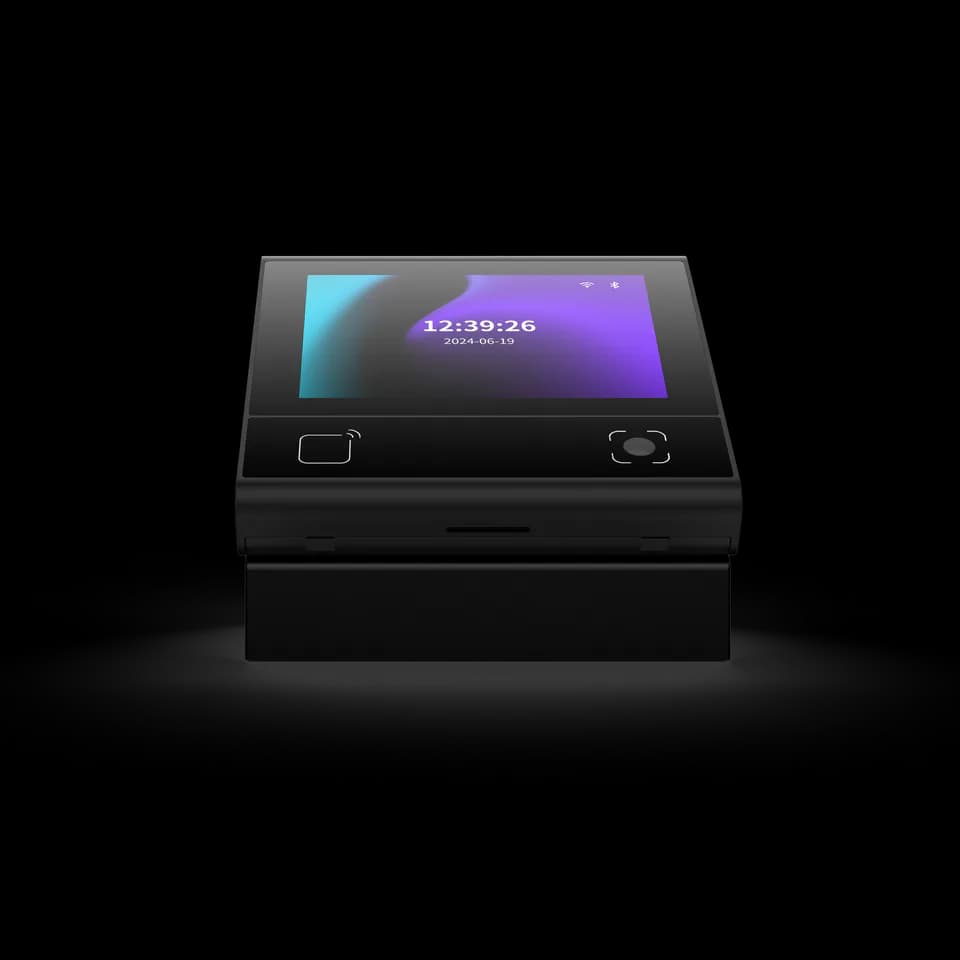
The FC6820 can provide QR and card interaction with a touch display in the selected application. Its role in a visitor check-in system must be agreed with the host platform and door-control arrangement. Agree the reception handovers with the people operating the desk and the team responsible for entrance permissions.
Use seven ordered handovers from invitation to departure
The visitor workflow should identify a responsible person or system at each handover. Use the sequence below to specify the project, then test it with the actual receptionist, host, application and entrance. The sequence describes operating requirements; it does not assert that every supplied FC6820 application contains a complete visitor platform.
- Record the visit request. Name the host, destination and expected period, then agree which application owns the visit record. Separate a proposed visit from an approved one.
- Confirm host approval. Define who may approve a visitor, what happens when the host changes and which reception role may resolve an incomplete request.
- Prepare the arrival interaction. Decide what the visitor presents at reception, which details staff need to see and what instructions the selected application should display.
- Complete the reception decision. Specify how the operator handles an expected visitor, a walk-in and a person whose host cannot be reached. Keep a clear route for assistance.
- Hand over the permitted destination. Define whether the visitor is escorted or uses an authorized credential, and identify the system responsible for the intended door or area.
- Handle a change during the visit. Assign responsibility for a different room, a replacement host or an early meeting finish, including any related access update.
- Close or reconcile the visit. Agree how departure is recorded, how an unconfirmed departure is reviewed and which person resolves the remaining visit status.
Keep the visit record separate from door permission
The visitor record explains the appointment and its operating status. Door permission answers whether a particular credential may operate a particular entrance. An office visitor management project can connect those decisions, but the project still needs an explicit mapping between them. An approved appointment should not silently grant access to unrelated rooms or another tenant's space.
Define the few statuses reception actually uses and what each status permits. For example, an appointment can be expected, waiting for the host, admitted or closed. These are illustrative workflow terms, not promised FC6820 software fields. Ask the platform team to demonstrate the agreed transition and its effect at the entrance, with staff able to identify which decision has been completed.
Give the FC6820 screen a precise job at reception
The FC6820 product reference describes QR and card interaction with a 3.33-inch touch display. A reception project can evaluate that interaction for presenting a credential and displaying the next step defined by the application. Confirm what the supplied application can show and accept before designing the desk procedure around it.
Select the reader or access-control configuration before planning connections. The reader version passes credential data to the receiving host or controller; the access-control version has additional door-related connections. A desk stand is selected separately. Match the actual version, harness and mounting location using the FC6820 manual and wiring downloads. A screen and network connection alone do not establish host approval, identity-document checking or a visitor database.
Make walk-ins and unavailable hosts ordinary test cases
Office reception needs a predictable route when the appointment is incomplete. A walk-in might need the host's approval before proceeding; an expected visitor might arrive before the host is available. Define the waiting location, who may make the decision and how the visitor receives an understandable instruction. The requirement belongs to the reception process and selected platform.
Include a substitute host and a visit moved to another room in the trial. Staff should know whether to update the existing visit, create another request or follow an escalation procedure. Avoid leaving two teams assuming that the other has authorized entry. During a communication failure, the agreed assistance process should remain clear without claiming that the terminal can validate permission offline.
Choose a departure record that matches what you can observe
A visitor departure record should state what was observed. A check-out action at reception, a credential event at an exit and a host confirming that a meeting has ended are different kinds of evidence. Decide which one updates the visit and what remains unconfirmed. A door-release event alone cannot prove that a specific person passed through it.
Test a visitor who leaves without completing the normal check-out interaction. Reception needs a review procedure for that case rather than an unexplained open record or an invented departure time. Agree who may close the record and how the reason is retained in the selected system. Do not present this operating list as a verified real-time occupancy or emergency-accounting service.
Accept the workflow with reception staff and the integrator together
An office visitor pilot should follow the same test visit across the desk, host platform and intended entrance. Record the expected instruction, responsible operator, access decision and final visit status before running the test. Compare the visitor-facing result with the host record and any available entrance evidence; those records need not represent identical events.
Use an ordinary appointment, an unapproved walk-in, an unavailable host, a changed room and an unconfirmed departure. Include a request that cannot reach the managing system. Resolve differences with the reception owner and integrator before accepting the workflow. The goal is a repeatable operating procedure, with a known escalation route when a required decision cannot be completed.
Prepare an office visitor project brief for Feocey
List the reception desks, entrances, visitor types, responsible hosts and existing software. State whether you need hardware for an established visitor platform or a wider software-and-device scope review. Identify the data the process needs, who may access it and the organization's retention requirements. These are project decisions to confirm, not claims that the hardware alone provides a compliance program.
Review the office-building access planning guide and the FC6820 integration route. Send an example visitor journey, the managing platform and the proposed reader or access-control version with your FC6820 visitor-workflow enquiry. Confirm the application and firmware together so reception instructions, credential handling and door operation can be evaluated as one project.
Source references
FC6820 user manual — reader or access-control configuration ↗FC6820 interface and wiring guide — match the supplied version ↗Feocey: Planning access control for an office building ↗Put the guide to work
Find the reference for your model.
Compare each device with your requirements. Confirm configuration and compatibility for the complete installation.
FC6820 →
Display QR and card terminal
Ask about FC6820 ↗