
Attendance planning
Time Attendance System Features: Test Job Changes Within One Shift
Compare time attendance system features with one employee changing jobs during a shift. Test task codes, corrections and clear records before accepting the proposed setup.
Before you choose
Key takeaways.
- A change of job or task can have a different meaning from starting another attendance period.
- Use a representative workday to test how the proposed application records each assignment and correction.
- Confirm the task-code interface, receiving software and terminal configuration as separate parts of the project.
Evaluate what a job change means before comparing feature labels
When comparing time attendance system features, ask the supplier to demonstrate an employee changing tasks during the same shift. The record should explain when the person was clocked in and which assignment applied to each relevant interval under the agreed project rules. A job change should not silently become another clock-in, erase the earlier assignment or leave two overlapping task intervals unexplained.
This question matters when one person helps several production lines, service teams or work orders in a day. A daily start and finish can be correct while the assignment detail is incomplete. Evaluate the two purposes separately: attendance describes the agreed work-period record, while task allocation describes what work the organization wants to associate with parts of that period.
The examples below are procurement tests, not a claim that a particular Feocey terminal or attendance application already includes job-code selection, labor allocation or a pay-rule engine. Ask the solution team to identify which requirements the proposed configuration can meet and which need another application or development scope.
Define the job code without changing the employee identity
Give each task code an operational meaning. A code might identify assembly, packing or an approved service order. Decide who owns its description, where it is valid and when it stops being available for new selections. Similar display names should not conceal different assignments, and a renamed label should not make an older record impossible to interpret.
Keep the employee identifier separate from the task identifier. An employee who changes from assembly to packing is still the same person. If the project uses work orders, departments and customer jobs, agree which of those dimensions is actually required. A long list of unrelated codes can make the recording action difficult without adding useful detail.
Ask how the proposed system presents the choices an employee is allowed to use. Test a short, realistic list and an assignment that has just closed. Establish what happens when the intended code is unavailable: an explained exception is more useful than encouraging staff to choose a convenient but inaccurate alternative.
Run a complete workday instead of demonstrating isolated buttons
Use this illustrative day with a supplier. The employee remains at one workplace and changes tasks within one shift. The times describe a test sequence, not a pay calculation, a required break policy or a customer case. Agree the intended interpretation before the demonstration, then inspect the resulting records.
| Time | Observed action | Attendance question | Task-record question |
|---|---|---|---|
| 8:00 a.m. | Start the work period on assembly. | Where is the original start recorded? | Which assignment begins with it? |
| 10:15 a.m. | Move from assembly to packing. | Does the work period remain continuous under the agreed rule? | Where does assembly end and packing begin? |
| Noon | Begin the recorded break. | How is the break identified without inventing a second workday? | What happens to the active assignment during this interval? |
| 12:30 p.m. | Return to packing. | Which action marks the return? | Does packing resume or require a new selection? |
| 2:00 p.m. | Return to assembly. | Is this distinct from clocking out and back in? | Can both assembly intervals remain separately explainable? |
| 4:00 p.m. | Finish the work period. | Where is the final finish recorded? | Does the last task interval close, or need another action? |
Make the employee action clear at the recording point
Ask the operator to perform the ordinary sequence on the proposed recording interface. Observe how the employee distinguishes starting work, changing a task and finishing work. A button labeled Transfer leaves the receiving behavior open until the team shows the resulting assignment and attendance records together.
Confirm where task selection takes place. The solution might propose a terminal interaction, an application screen or a supervised process. Those are options to evaluate, not interchangeable capabilities. Identify the supplied component, application version and responsibility for any additional workflow before approving the design.
Test an accidental repeat and a selection of the previous task. Ask what feedback the employee receives and how a supervisor investigates the result. Keep this exercise focused on the meaning of the action; the separate shift-change requirements guide covers the broader timetable and work-period questions.
Correct a missing task change without rewriting a correct start
Add one exception to the demonstration: the employee moved to packing at 10:15 a.m. but did not record the task change. The original 8:00 a.m. start is still a separate observation. Ask the supplier to show how an authorized reviewer can describe the missing assignment change without disguising it as an original terminal event.
Retain enough context to understand the correction: affected person and date, task interval, proposed effective time, reason and responsible reviewer. The chosen application must demonstrate how that information is represented. A revised daily total alone may not explain which assignment changed or why.
Inspect the result after the correction. The earlier assembly interval and later packing interval should follow the interpretation agreed for the test. Where a receiving report cannot express that distinction, record the limitation and its owner. Do not assume that every feature called job coding supports the same correction method.
Keep breaks, task totals and attendance results distinguishable
A task list is not automatically a complete explanation of the workday. Ask how the proposed report handles time with no selected task, a recorded break and a correction awaiting review. An empty task field should not silently be treated as absence, and an assignment label should not by itself establish that an interval is payable.
Choose a simple reconciliation for the demonstration. Trace each task interval to its beginning and end, check for unexplained overlaps, and identify any interval that the project intentionally leaves unallocated. The organization must define the appropriate break and compensation rules separately with its responsible team; this article does not provide a wage or legal classification.
- Keep the original start and finish visible while inspecting the task changes.
- Identify each assignment interval and any deliberately unallocated interval.
- Explain corrections and unresolved items before accepting the report.
- Record the receiving application's interpretation instead of inferring it from a terminal label.
Match FCV4907 to the confirmed part of the workflow
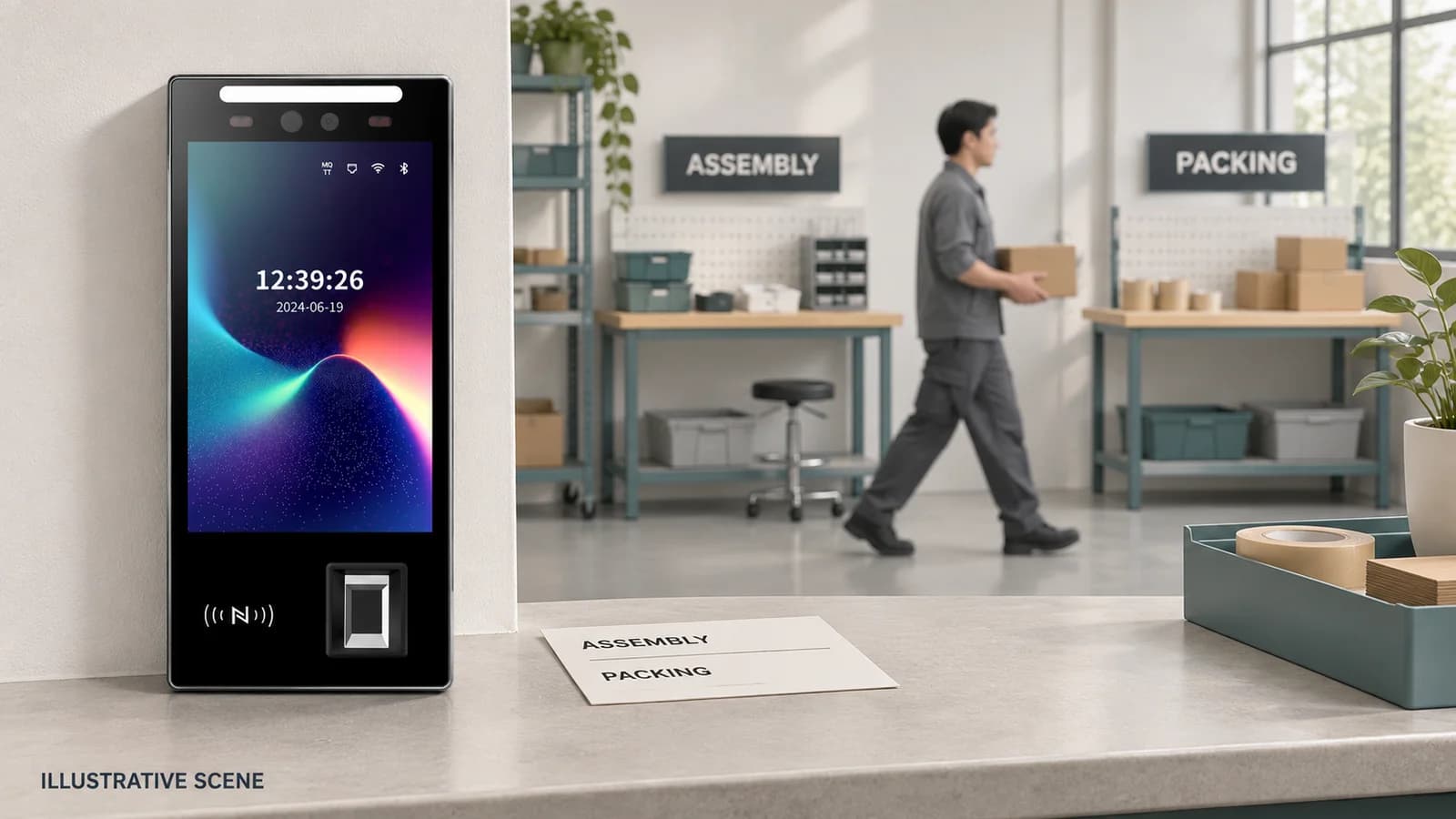
For the shared-terminal part of a project, FCV4907 combines an 8-inch portrait touch display and fingerprint input for configured access or attendance interactions. Review the matching manual and model documents for the supplied device. Confirm its credential modules, mounting and application behavior on the sample rather than treating a display as proof of a task-selection feature.
Discuss the receiving software and firmware through the integration overview. A supported electrical interface does not establish a named workforce-platform connector or a complete job-allocation workflow. The attendance handover guide explains the broader distinction between collected events and the information HR receives.
Turn the demonstration into an agreed delivery scope
Keep a small evidence pack from the test: the proposed job-code list, employee instructions, original observations, assignment record, corrected example and receiving report. Name the component and team responsible for each result. Mark unsupported actions and additional work explicitly before treating the feature list as accepted.
Send that pack, the intended recording method and the actual receiving application with an FCV4907 project inquiry. Ask Feocey to assess the device, application or wider integration scope against this particular workday. A demonstrated sequence gives a buyer a more useful basis for comparison than a checklist whose labels hide different meanings.
Source references
FCV4907 user manual — confirm the supplied hardware and application configuration ↗Put the guide to work
Find the reference for your model.
Compare each device with your requirements. Confirm configuration and compatibility for the complete installation.
FCV4907 →
Face authentication terminal
Ask about FCV4907 ↗