
Attendance integration
Biometric Time and Attendance Software: 7 Checks Before HR Handover
Connect biometric clock-in events to an agreed HR process. Check employee identifiers, event meaning, exceptions and reconciliation before accepting an FCV4907 attendance integration.
Before you choose
Key takeaways.
- Define the employee identifier and attendance-event meaning before mapping an HR handover.
- Assign time interpretation, corrections and reconciliation to named application owners.
- Accept the selected FCV4907 configuration and management process through a traceable pilot.
Start with the HR handover, then choose the clock-in device
Biometric time and attendance software needs more than a successful identification at a terminal. A useful attendance integration connects that interaction to the correct employee, preserves its meaning and gives HR a record that can be checked and corrected. Agree those responsibilities before accepting a device demonstration as a working attendance system.
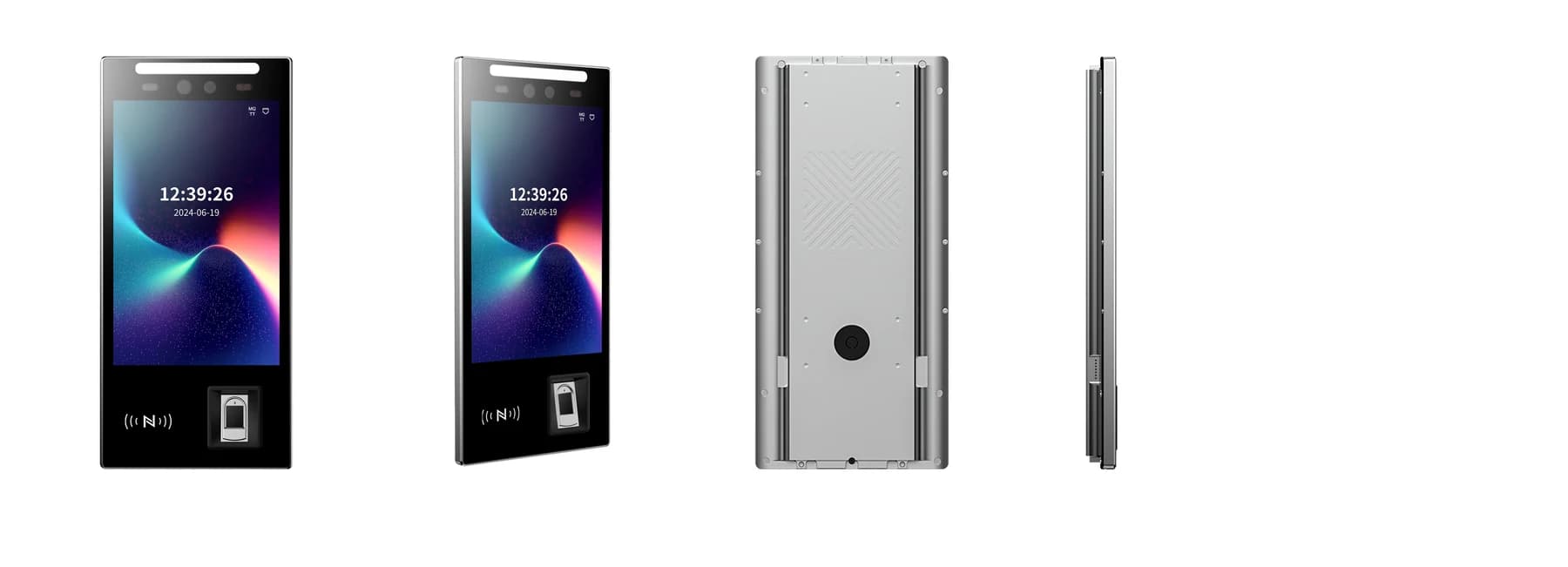
The FCV4907 provides a portrait touch display and fingerprint reader for an access or attendance interaction, with credential behavior defined by the selected configuration and application. Use the time and attendance system guide for product selection, then use the handover checks below to define the event-to-HR process.
1. Give each employee one agreed identity across the handover
The attendance project needs a stable employee identifier that the receiving HR process recognizes. A name displayed on the terminal is not a reliable matching rule: two people can share a name, and a name can change. Identify the source of the employee record and document how the terminal or its application associates a credential with that record.
Test a new employee, a department transfer and a person leaving the organization. The project team should demonstrate how an enrollment is created, changed and removed in the selected arrangement. Agree who may administer biometric enrollment and the alternative interaction when that method is unavailable. An employee's building-access permission should remain a separate decision from whether an event counts toward attendance.
2. Define an attendance event before designing an export
An attendance event needs an agreed meaning before anyone maps fields to HR software. A credential presentation, an accepted identification, a door-release command and a clock-in can describe different actions. Choose the event that the attendance application will use and name it consistently in the interface specification, pilot records and operator instructions.
Include the employee identifier, event time, device or location reference and event type where the selected application supports them. These are requirements to confirm, not a claim that every FCV4907 firmware supplies the same payload. Ask how the receiving system distinguishes a repeated transmission from a second intentional event. Preserve enough evidence to investigate a discrepancy without treating every retry as another shift action.
3. Agree how event time becomes the correct working period
Attendance software must place an event in the working period defined by the organization. A timestamp alone does not explain whether an employee started an overnight shift, returned from a break or presented a credential outside an assigned period. Agree which application interprets the schedule and which team maintains those rules.
Use a sample that crosses midnight and, where relevant, a time-zone or daylight-saving change. Record the device time, receiving time and the time basis used for reconciliation. Confirm how a delayed record is assigned after a connection returns. The acceptance decision should follow the agreed event time and schedule rules, rather than silently treating the upload time as the employee's clock-in.
4. Make missing punches and corrections an owned process
An attendance handover needs an exception route for a missed interaction, an incorrect identifier or a disputed event. Define who reviews the issue, what supporting information is required and which application stores the approved correction. A supervisor's correction should not make the original event impossible to understand during reconciliation.
Test one accepted correction and one rejected request. HR should be able to identify the employee, the period affected, the reason and the approval state in the selected process. Confirm those requirements against the actual management application. A fingerprint reader does not establish an approval workflow, and a hardware purchase does not establish payroll calculations or a particular HR-platform connection.
5. Use one practical handover table across the project
The attendance handover table below assigns questions to an owner before the pilot begins. Its terms are illustrative: they are not FCV4907 API field names or a fixed software specification. Replace the examples with the receiving system's agreed identifiers, event definitions and evidence requirements.
| Handover item | Owner to name | Evidence to check |
|---|---|---|
| Employee identity | HR record administrator and integrator | One test employee maps consistently across enrollment, captured event and HR record. |
| Event meaning | Attendance application owner | A clock-in is distinguishable from a credential read or door-release command. |
| Time and working period | Attendance administrator | Overnight and delayed records follow the agreed time basis and schedule. |
| Corrections | Supervisor and HR reviewer | An approved change retains its reason and an understandable connection to the original record. |
| Repeated or delayed records | Integrator and receiving-system owner | Retries and recovery do not silently create unintended attendance entries. |
| Final reconciliation | HR process owner | A sample period can be traced from terminal interaction to accepted HR output. |
6. Reconcile a sample period from interaction to HR output
An attendance pilot should reconcile individual cases as well as totals. A matching total can conceal one employee's missing event and another employee's duplicate. Use test identifiers and record the expected outcome before presenting credentials. Compare the terminal interaction, the receiving application's event and the final HR record for the same case.
Include an ordinary shift, a missed interaction, an approved correction, a repeat presentation and a delayed delivery. Record who accepted each result and any unresolved difference. The best handover format is the one the receiving team can interpret and audit for its actual process; a named file format or network connection alone does not prove a usable integration.
7. Give staff a fallback and a clear support boundary
Staff need a defined attendance procedure when identification or communication is unavailable. Agree whether the operator records an exception, directs the employee to another authorized interaction or follows another approved process. Do not assume that the terminal stores every event offline or automatically reconciles records after recovery; demonstrate the selected firmware and application behavior.
The handover should also name the owner of employee data, device administration, retention settings and issue investigation. Use the minimum test data needed for the pilot and decide how that data will be removed afterward. These operating decisions require the organization's review; a biometric device specification is not a statement of employment-law or privacy compliance.
Prepare an FCV4907 attendance integration request
Review the FCV4907 product reference, its approved manual and downloads and the integration enquiry route. Confirm the supplied credential modules, application firmware and protocol before implementation.
Send the receiving HR or attendance system, sample event requirements, site count and a short reconciliation example with your FCV4907 project enquiry. State whether you need device integration, an application-development discussion or a wider software-and-hardware scope review. Feocey can then evaluate the relevant configuration without treating a terminal as a ready-made payroll service.
Source references
FCV4907 user manual — match the supplied configuration ↗Feocey: Choosing a time and attendance system ↗Put the guide to work
Find the reference for your model.
Compare each device with your requirements. Confirm configuration and compatibility for the complete installation.
FCV4907 →
Face authentication terminal
Ask about FCV4907 ↗