
Visitor workflows
Cloud-Based Visitor Management System: Send Each Guest to the Right Office
A cloud based visitor management system needs clear office and host ownership. Plan location selection, same-name hosts, changed appointments and local reception responsibilities before evaluating an FC6820 interaction.
Before you choose
Key takeaways.
- Identify the destination office and responsible host before choosing an arrival interaction.
- Treat a changed office as a coordinated reception update, with a clear correction and escalation process.
- Accept each site's routing and local ownership using realistic appointment examples.
The cloud does not choose the visitor's destination
A cloud based visitor management system should help reception identify the intended office, the correct host and the local team responsible for the arrival. Start with those decisions before selecting an interface. A centrally available appointment is not enough if the guest reaches the wrong building or reception cannot identify who should respond.
Consider two offices in the same city, each with a reception desk and a host named Alex Morgan. An invitation that shows only the company and host name leaves important questions unanswered. The guest needs a specific destination, while the receiving team needs an appointment associated with its own location and responsible person.
Use the planning requirements below to evaluate the proposed platform and integration. They are not claims that Feocey supplies a ready-made cloud visitor service. The FC6820 can provide a configured QR and card interaction with a touch display; office assignment and reception ownership remain decisions for the selected application and operating process.
Make the office a complete destination
Define an office record that reception can recognize without guessing. A useful project specification identifies the building or branch, the public-facing address, the entrance visitors should use and the reception point. Treat similarly named locations, shared buildings and separate tenant entrances as ordinary cases rather than rare exceptions.
Ask who maintains those details and how changes reach the invitation and arrival instructions. An office move can leave an old address in a saved message even when the appointment is correct elsewhere. Require the demonstration to show what the guest sees and how staff find the current destination in the proposed system.
Use a stable office identifier within the integration specification, alongside a readable location name. This is a suggested design requirement, not an FC6820 API field. The platform partner should explain how appointment records, reception views and any terminal assignment refer to the same location without relying on staff to interpret free text.
Resolve the person behind a familiar name
The appointment should point to an identifiable host, not only a display name. Two employees may share a name, and one employee may work from more than one office. Ask the platform owner which identifier distinguishes the person and how the appointment records the office where that person is receiving this guest.
Reception also needs an agreed route when the host changes. A colleague covering the meeting does not automatically become responsible for every visitor associated with the original host. Specify who may reassign the appointment, how the receiving office learns the change and what staff do while the reassignment is still unresolved.
Keep the visitor-facing information proportionate to the task. The guest needs enough information to reach the correct reception point and request assistance. Ask the solution team to demonstrate host lookup and assistance without assuming that a public screen should expose a complete staff directory, private contact details or another office's visitor list.
Move the appointment and the reception responsibility together
A location change should update more than the wording on a calendar entry. Suppose a meeting moves from the downtown office to the west office after the guest receives directions. Define who authorizes the change, who informs the guest and which local team owns the arrival after the change becomes effective.
Ask how the proposed workflow handles a guest who still arrives downtown. Reception should have an agreed assistance route and enough authorized information to resolve the destination. Sending the guest onward without confirming the receiving team's availability can simply move the problem. Demonstrate the handover with the actual local operating process.
Give the original reception team an explicit disposition for the old arrival. Decide how staff distinguish a transferred appointment from a second expected guest, and who confirms the receiving office has accepted responsibility. Test the staff view at both locations so an unresolved old entry does not create two competing reception tasks.
Keep door permission as a separate responsibility. Correcting an office assignment does not by itself demonstrate that a credential has changed or that any entrance is authorized. For this article's routing decision, require an explicit escalation to the team that owns access configuration, rather than assume that changing the appointment automatically changes every connected device.
Give each office an arrival window and a local owner
A visit time and a staffed reception period describe different things. One office may receive appointments before its front desk opens; another may require a local contact for evening arrivals. Specify the arrival instructions for each office and identify the person responsible for exceptions when normal reception is unavailable.
For offices using different local times, require the proposed system to make the destination's date and time understandable in both invitations and staff views. Verify the actual display with a sample appointment. A cloud deployment label does not establish the platform's time handling, supported regions or cross-border deployment arrangements.
Assign central and local responsibilities before rollout. The following division is an example for discussion, not a description of built-in administrator roles. Confirm whether the proposed product can support the intended permissions, and decide how the organization handles any responsibility that remains outside the software.
- The central owner maintains the agreed office identifiers and the process for opening, moving or closing a location.
- The local reception owner verifies arrival instructions, staffed hours and the assistance route for that office.
- The host or authorized coordinator confirms the meeting destination and requested appointment changes.
- The platform and integration owners document how approved changes reach the appropriate reception workflow.
Test routing with appointments that can go wrong
Use a short routing rehearsal before accepting a multi-office rollout. Create fictitious hosts and guests, state the intended destination and record the expected reception response. The goal is to prove that a staff member can resolve an arrival correctly, not merely that a centrally stored record appears on a screen.
Include the ordinary office and the confusing cases in the same rehearsal. Ask reception staff to work from the actual information they will receive. Record any step that depends on an undocumented phone call or personal knowledge, then decide whether the requirement belongs in the platform, instructions or local operating procedure.
| Appointment case | Decision to demonstrate | Responsible owner |
|---|---|---|
| Same-name hosts at two offices | Reception identifies the intended person and destination | Host-data and local reception owners |
| Office changed after invitation | The guest and both reception teams receive the agreed correction | Authorized appointment coordinator |
| Guest arrives at the former office | Staff use the defined assistance and receiving-office handover | Local reception owner |
| Arrival outside staffed hours | The guest receives the agreed local instructions and assistance route | Destination-office owner |
Give the terminal a defined role in the office plan
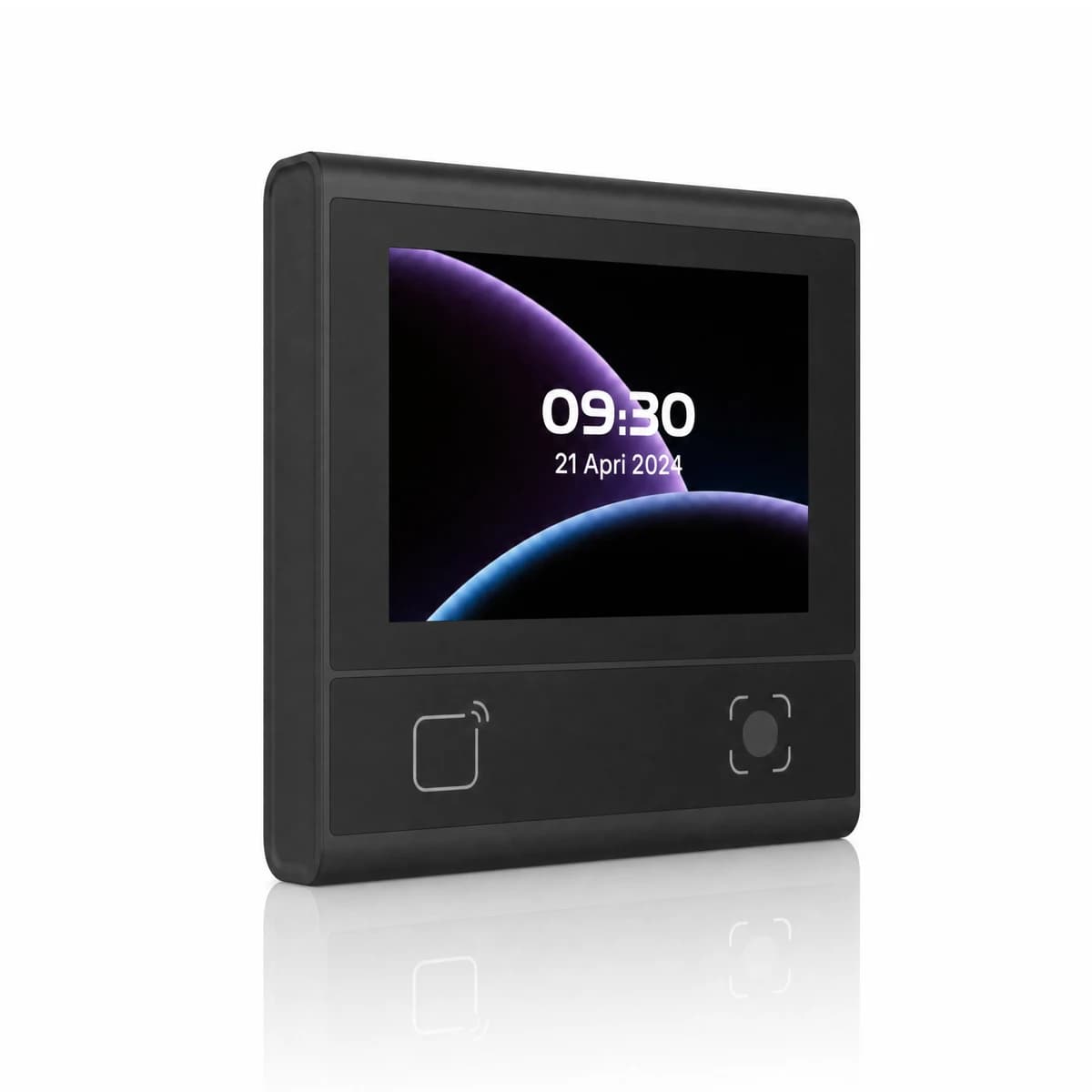
For an FC6820 evaluation, specify what the 3.33-inch screen should show at this office and what the application should do after a credential is read. Confirm the reader or access-control configuration, firmware and host connection. Door-contact, exit-switch and relay connections apply to the access-control version; they are not present by assumption on every terminal.
Review the FC6820 user manual for the selected installation and the integration inquiry for the matching application reference. Ethernet or RS485 availability does not establish a specific cloud connector. Wi-Fi and voice are configuration options, and a desktop stand needs separate confirmation if the interaction is attended.
Send the office list, sample invitations, same-name host example, changed-location case and local responsibility plan with your Feocey project inquiry. Ask the platform partner and integrator to identify the confirmed delivery and remaining work. The best fit is the arrangement that sends guests to the right office with a handover local staff can operate.
Source references
Feocey: Office visitor management reception-to-exit handover ↗FC6820 user manual ↗FC6820 interface and wiring guide — match the supplied configuration ↗Put the guide to work
Find the reference for your model.
Compare each device with your requirements. Confirm configuration and compatibility for the complete installation.
FC6820 →
Display QR and card terminal
Ask about FC6820 ↗