
Visitor hardware
Visitor Management Hardware: Choosing the Best Fit for Self-Service Check-In
Visitor management hardware should fit the reception task. Compare FC6820 touch interaction with FC7735 scanning before planning self-service check-in.
Before you choose
Key takeaways.
- Choose hardware for the visitor task that still needs an interaction.
- Compare scanning, guided feedback and registration as different requirements.
- Accept self-service with exception handling and the actual reception layout.
Choose visitor management hardware around the unfinished task
Visitor management hardware should solve the part of arrival that still needs a physical interaction. A returning visitor with a prepared pass may only need to scan. A first-time arrival may need instructions, a host decision or assistance from reception. Buying a larger display does not automatically solve those missing steps.
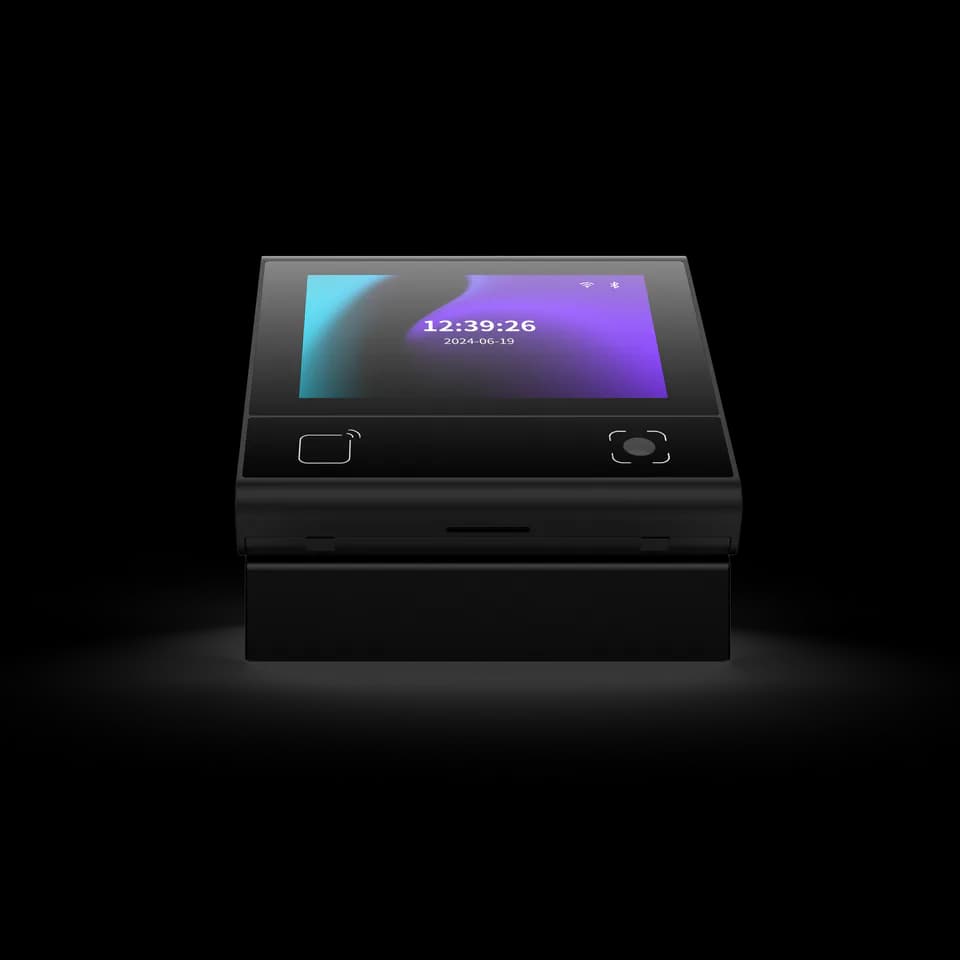
FC6820 offers a compact touch interface for configured QR and card workflows, while FC7735 provides a QR reading point for a connected host or access system. The best fit depends on what the management application asks the visitor to do. Neither device specification, by itself, establishes a complete self-service visitor kiosk.
Identify which visitors can complete check-in without help
Self-service visitor planning should begin with two or three ordinary arrival journeys. Include a prepared guest, an unexpected visitor and someone who cannot use the intended credential. Identify the exact step that requires reception or host approval. A workflow that works only when an operator quietly fixes every exception is not yet a demonstrated self-service process.
Decide whether the visitor completes registration on a phone, at an attended desk or through a separately designed interface. Keep data entry, identity association and permission issuance visible in the workflow. The selected Feocey device can participate in that arrangement, but its screen size or QR capability does not establish document capture, badge printing or host-directory software.
A practical reception example uses one visitor who already has an approved code and another whose host has not yet responded. The first interaction should follow the prepared-pass route; the second should explain the pending decision and assistance option. Compare what an operator must do in each case. This test often reveals whether the missing requirement is a better reading position, clearer application feedback or an approval workflow elsewhere in the system.
Compare a scan point with a guided terminal
Visitor hardware selection should distinguish a reading surface from an application interface. An FC7735 scan point can send decoded credential data through the selected host-interface version. The receiving application decides what the credential means and which next action is permitted.
An FC6820 touch terminal gives the project a place for instructions and result feedback in the selected application. Confirm the actual reader or access-control version and the interaction available on the supplied firmware. A compact screen can make a prepared-pass journey clearer, but a long registration form or several complex choices may require a different interface elsewhere in the reception design.
Use a reception task table before comparing equipment
The visitor hardware comparison below starts with the visitor's task rather than ranking products. It does not imply that one device includes the management functions in the final column. The platform and installer must confirm the complete arrangement.
| Arrival task | Hardware interaction to evaluate | Separate requirement to confirm |
|---|---|---|
| Prepared visitor presents a pass | FC7735 QR reading point with the chosen host connection. | The platform associates the code with an approved active visit. |
| Visitor needs a result or short instruction | FC6820 touch interaction with the selected application. | The screen reflects the actual approval state and next step. |
| Unexpected visitor needs a host decision | An attended or separately designed registration interaction. | A responsible host or receptionist handles the approval. |
| Visitor cannot complete the intended interaction | An accessible assistance route in the reception layout. | An operator can continue the visit through an approved alternative. |
Make feedback explain what the visitor should do next
Visitor check-in feedback should state a useful next action. A successful scan may mean the code was decoded, the visit was found or entry was authorized, depending on the actual application. Those milestones should not share an ambiguous message that makes visitors try repeatedly or walk toward a door before approval.
Test the text and indicators for an accepted pass, an unknown pass and a visit awaiting a host. Confirm which messages the chosen firmware can provide and which require application work. Keep private visitor details off a public-facing display unless the organization has decided they are necessary. Clear feedback is an interaction requirement, not a promise of a particular standard screen set.
Check the physical reception position with real users
Visitor hardware needs a clear approach for the way people arrive. A reader hidden behind a counter, a screen facing glare or a cable arrangement that moves when used can undermine a sound software workflow. Place the actual sample at the proposed height and orientation before finalizing the furniture or wall opening.
Check phone-screen and printed QR presentation with representative passes. Review the selected FC6820 mounting or stand separately, and use the supplied FC7735 mounting reference for its installation. Ask the responsible site team to review accessibility and circulation requirements. This article does not establish that a particular mounting height or device arrangement satisfies every site's obligations.
Run a short self-service acceptance sequence
A useful visitor hardware pilot includes both a smooth arrival and an arrival that needs assistance. Record whether the visitor can understand the result without an operator interpreting every screen, then assign an owner to each remaining exception.
- Write the intended journey for a prepared visitor and identify where the platform has already approved the visit.
- Configure the selected reader or terminal and confirm the host, interface and firmware being tested.
- Present representative passes and observe reading, application validation and visitor feedback as separate steps.
- Try an unrecognized credential and a visit awaiting approval; verify the assistance instruction.
- Repeat the process from the actual mounting position with the proposed reception layout.
- Record any additional registration, printing, host messaging or application work as explicit scope items.
Prepare a visitor hardware request that describes the journey
Review FC6820, FC7735 and the hardware integration overview. Use the model-filtered FC6820 documents and FC7735 documents to match the sample rather than treating all versions as interchangeable.
Send the arrival journey, prepared-pass example, mounting sketch and receiving platform with your visitor hardware enquiry. State which check-in tasks already exist in software and which still need design. That description supports a focused hardware recommendation and keeps a simple scanning requirement from turning into an undefined kiosk project.
Source references
FC6820 user manual — confirm the supplied configuration ↗FC7735 user manual — confirm the supplied configuration ↗Put the guide to work
Find the reference for your model.
Compare each device with your requirements. Confirm configuration and compatibility for the complete installation.
FC6820 →
Display QR and card terminal
Ask about FC6820 ↗FC7735 →
86-box QR and card reader
Ask about FC7735 ↗