
QR access control
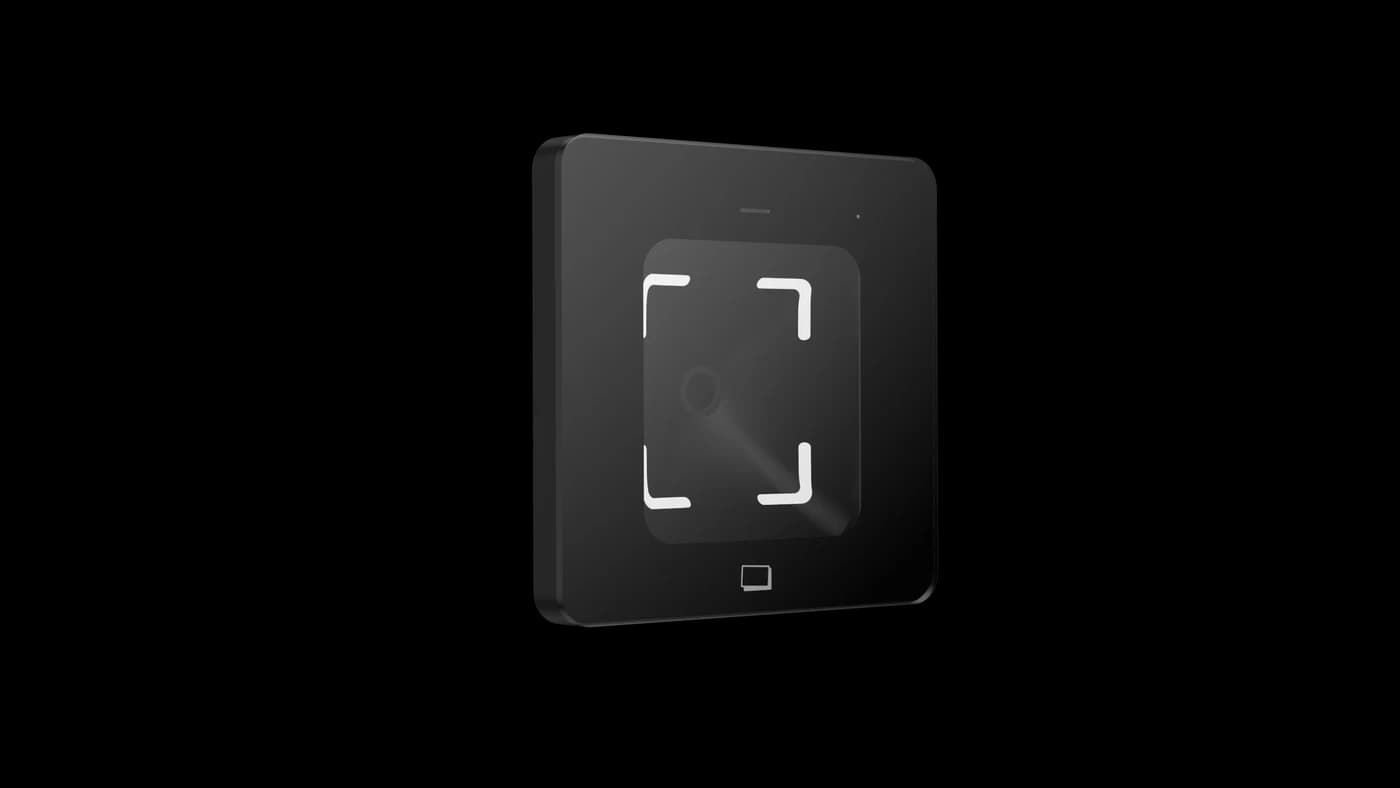
FC7735 QR Code Reader: 7 Checks for Safer Visitor Access
Plan FC7735 visitor QR access around permission expiry, reuse rules and a matched host. Seven checks turn a successful scan into a testable entrance workflow.
Before you choose
Key takeaways.
- A readable visitor QR code still needs a permission decision from the connected system.
- Expiry and reuse behavior must be demonstrated with the selected host.
- Confirm the exact FC7735 interface, mounting arrangement and exception process.
Start with the visitor permission, then choose the reader
The FC7735 QR code reader can provide the scanning point for a visitor entrance; the connected system must decide whether the visitor may enter. Start with a temporary permission rule, select the matching reader output, and test expiry and repeated scans before accepting the installation.
A recent Reddit discussion about guest QR access raises a useful procurement question: what stops a temporary credential from being shared? The discussion is a source of buyer questions, not a test of FC7735. For a project team, the practical response is to document who validates a pass, where the rule is enforced, and what happens when the rule cannot be checked.
1. Define what the FC7735 scan is allowed to trigger
The FC7735 reads QR codes presented on phone screens or printed material. A successful read means that code data was captured; a door release requires an access decision elsewhere in the connected arrangement. Write that distinction into the purchase specification so that a scanning demonstration is not mistaken for a complete visitor-management demonstration.
For a reception entrance, describe one complete journey: a host approves a visit, a pass reaches the visitor, the visitor scans at the assigned entrance, and the receiving system checks permission before commanding the door or gate. Identify the owner of each step, including the operator who handles a denied visitor.
2. Put a clear validity window on temporary QR permissions
A temporary visitor pass needs a defined start time, end time and permitted entrance in the managing system. The QR image itself does not establish that the FC7735 can enforce those conditions. Ask the integrator to show the selected application or controller rejecting a readable but expired credential.
Include early arrival and an extended meeting in the acceptance script. An operator should know whether to change the existing permission or issue a replacement, and which previous permission becomes invalid. This keeps an everyday reception change from leaving two usable passes when the intended policy allows only one.
3. Decide how the host handles repeated scans
Repeated presentation of a visitor QR code can mean an impatient visitor, an unacknowledged request or a deliberately reused pass. The project policy must distinguish those cases. Do not assume that the FC7735 reader automatically provides single-use authorization, anti-passback or a shared reuse counter across multiple entrances.
Ask for a repeat-scan demonstration at one reader and, where the project uses multiple entrances, across two readers. Record whether the host issues one door command or several, what the visitor sees, and how the operator finds the event. The expected outcome belongs in the host specification, not in an unsupported reader claim.
4. Match the FC7735 output to the receiving equipment
FC7735 integration depends on the selected interface version, cable and host. A connector or an interface name alone is not a compatibility result. Provide the receiving controller or host details and ask Feocey to match the reader output and power requirements against the supplied documentation.
The acceptance record should identify the actual reader, interface and receiving software version used in the pilot. If a later shipment or host update changes one of those items, repeat the affected checks. A successful test of another model or firmware version should not become an assumed approval for the current installation.
5. Test visitor presentation at the real mounting point
The FC7735 supports phone-screen and printed QR presentation, with indicators and a buzzer for feedback. Test both presentation methods at the planned entrance, including the visitor approach and normal lighting. The approved installation guidance calls for keeping the reading window clear of direct sunlight.
For an 86-type box installation or a turnstile position, confirm the frame, mounting opening, rear clearance and cable route before fixing the equipment. A convenient scanning angle in a bench demonstration may be awkward once a visitor is standing beside a door leaf or carrying a bag.
6. Agree the response when permission checking is unavailable
An unavailable network or host is a visitor-access operating condition that needs an explicit response. Ask what the selected FC7735 arrangement does when the receiving system cannot validate the code, and test that behavior. Do not assume a local permission store, offline expiry enforcement or automatic recovery without confirmation.
Reception staff also need a workable exception process. Decide who can verify the visitor, who may authorize an assisted entry and how that action is recorded. Any emergency exit behavior belongs to the approved door and life-safety design; a visitor QR workflow should not be used as a substitute for that design.
7. Buy against a short, repeatable acceptance record
The best FC7735 visitor-access fit is the configuration that passes the project’s documented workflow with the chosen host. A short evidence record is more useful than a broad claim that QR access is secure in every situation. Use the following checklist for the sample and retain the results for repeat installations.
- Identify the FC7735 interface version, cable, power supply and receiving host.
- Demonstrate a valid, early, expired and revoked visitor permission at the intended entrance.
- Test repeated scans and any cross-entrance reuse rule in the permission system.
- Check phone-screen and printed codes at the installed height and lighting.
- Record host interruption, operator assistance and the recovery result.
Prepare an FC7735 project enquiry
Share the visitor journey, intended host or controller, mounting position and temporary-pass rules with Feocey. Start with the FC7735 product page, the matching manual and hardware integration guidance. Ask for configuration confirmation before treating a protocol, optional NFC card function or permission rule as included in the order.
Source references
FC7735 user manual ↗Buyer discussion: temporary guest QR access (Reddit; anecdotal) ↗Put the guide to work
Find the reference for your model.
Compare each device with your requirements. Confirm configuration and compatibility for the complete installation.
FC7735 →
86-box QR and card reader
Ask about FC7735 ↗