
Visitor solutions
Manufacturing Visitor Management System: Separate Contractor Induction from Door Access
A manufacturing visitor management system must connect host approval, contractor induction and zone permissions. Plan the FC6820 interaction at each handover.
Before you choose
Key takeaways.
- Keep arrival, induction and access authorization as separate decisions.
- Map contractor permissions to a route, a zone and an approved time window.
- Test incomplete approval, scope changes and departure on the chosen configuration.
Manufacturing visitor management needs more than a sign-in
A manufacturing visitor management system should make it clear which visitors may reach which working areas, under whose responsibility and for how long. A signed arrival record does not prove that contractor induction is complete or that a host has authorized access to a production zone. Define those handovers before selecting a scanner or check-in terminal.
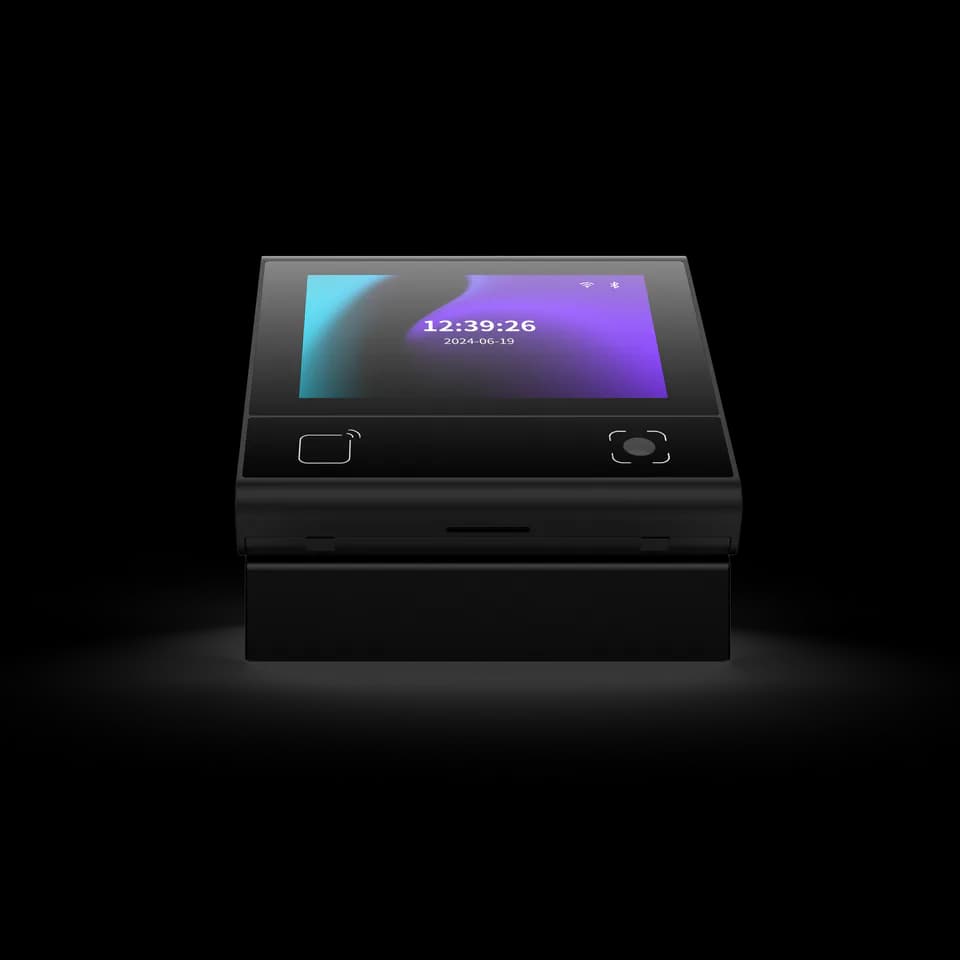
FC6820 is a compact touch terminal for configured QR and card workflows, available in reader and access-control versions. It can provide a project-defined interaction at reception or an entrance. This guide treats induction, escorting and restricted-zone rules as requirements for the selected management process, rather than built-in features of the device.
Start with visitor categories and a zone map
Manufacturing visitor planning should distinguish a short escorted meeting from a contractor working in a controlled area. The categories can share a reception point while requiring different approvals, instructions and access windows. Keep the category understandable to reception staff and the person responsible for the visit.
Map the route from arrival through reception, waiting areas and approved working zones. Identify where an escort takes responsibility and where the visitor must stop. A credential that works at the front entrance should not automatically establish permission for every inner door. Use the map to select reading points and define the information each receiving access system needs.
For example, a contractor attending a meeting and returning later to perform work should not inherit production-area permission from the earlier visit. Create the second visit with its own purpose, required induction and responsible host. In the pilot, compare the permitted route for each visit and explain what changes between them. This example makes the boundary between identity continuity and work authorization visible without assuming that either workflow is supplied by default.
Make induction an explicit approval boundary
Contractor induction needs an owner and an observable completion state in the organization's process. A screen showing instructions, a visitor acknowledging a document and a responsible person approving work access are different actions. Decide which action is required before the relevant permission may be issued.
Ask the software team how the process handles incomplete induction, a changed visit scope and an instruction that must be repeated. Where the organization requires additional checks, confirm them with its responsible team. Neither a QR reader nor this procurement guide establishes a safety-training qualification, background-check capability or regulatory compliance. Record those requirements separately in the project scope.
Assign one owner to each manufacturing visitor handover
A manufacturing visitor management system is easier to operate when reception, the host and the site access administrator can identify their own decisions. The table below is an illustrative responsibility map. Adapt its evidence to the selected software instead of treating the wording as device API fields.
| Handover | Decision owner | Evidence to retain |
|---|---|---|
| Visit request | Host or visit coordinator | Approved purpose, date and responsible host. |
| Arrival check | Reception process owner | The arrived person is associated with the intended visit. |
| Required induction | Designated site reviewer | Required steps are complete for the current visit scope. |
| Zone permission | Access administrator | Approved doors, time window and escort condition. |
| Departure or cancellation | Host and access administrator | The visit closes and temporary permission is withdrawn as agreed. |
Use temporary credentials without confusing reading and approval
Manufacturing visitor credentials should represent the permission the site has approved. A QR code may identify a visit record, but the receiving application must still decide whether that record is active for the relevant door and time. The reader successfully decoding a credential is only one part of the process.
For FC6820, confirm whether the evaluated unit is a reader or access-control configuration and how its application communicates the result. Test a waiting visitor whose induction is incomplete and a fully approved contractor at the wrong zone. The expected result should be stated before the test. Do not infer default one-use codes, automatic expiry enforcement or escort checking from QR support.
Prepare a practical contractor arrival sequence
A contractor arrival pilot should follow one person through the full approved route. Use a realistic visit purpose and a test credential, with named operators at the points where responsibility changes. The aim is to expose a missing handover before it becomes a reception workaround.
- Create an approved visit request with the host, planned time and permitted destination.
- Associate the arriving contractor with that request through the selected reception process.
- Complete and record the required induction steps before enabling the relevant access permission.
- Test the approved entrance, one unapproved inner door and any escort-dependent handover.
- Change the visit scope or end time and confirm how the receiving access process learns the change.
- Close the visit and verify the temporary permission using an agreed subsequent access attempt.
Test the awkward cases and the site environment
Manufacturing visitor management should account for an absent host, an unexpected arrival and a visit that extends beyond the approved period. Define who may resolve each case and how the decision is recorded. Avoid a shared permanent override credential becoming the everyday substitute for missing approvals.
Check the actual reading and screen position at the intended location, including lighting, reach and the effect of the surroundings. Place the sample where it will be used before judging its interaction. Have the responsible team confirm environmental and installation requirements for that exact configuration. A reception photograph or a factory-oriented article does not establish suitability for every production environment.
Keep the visitor record useful and the support route clear
Manufacturing visitor records should help the host understand the visit without collecting unnecessary personal information. Agree the information required for approval, the people who can see it and the organization's retention process. A list of issued passes does not by itself prove who remains on site; confirm the evidence available from the selected departure workflow.
For a hardware discussion, review FC6820, the version-matched documents and integration paths. Send a simple zone map, induction handover and sample credential with your FC6820 enquiry. State which management platform already exists and which parts of the visitor process still need to be designed.
Source references
FC6820 user manual — confirm the supplied configuration ↗Put the guide to work
Find the reference for your model.
Compare each device with your requirements. Confirm configuration and compatibility for the complete installation.
FC6820 →
Display QR and card terminal
Ask about FC6820 ↗