
Entrance planning
Commercial Wireless Access Control: Which Link Is Actually Wireless?
Compare commercial wireless access designs by the radio link, gateway connection, door power and maintenance workflow—not the word wireless alone.
Before you choose
Key takeaways.
- Map credential-to-reader, lock-to-gateway, and gateway-to-host as separate links; a mobile credential does not make the other two wireless.
- Require a vendor-specific site survey, and record remaining power feeds, network drops, and maintenance owners before treating a retrofit as a wireless system.
- Do not infer offline permission, cached credentials, or event upload from a radio label, and do not read this guide as a Feocey wireless-lock or gateway offering.
Draw each communication link before calling the design wireless
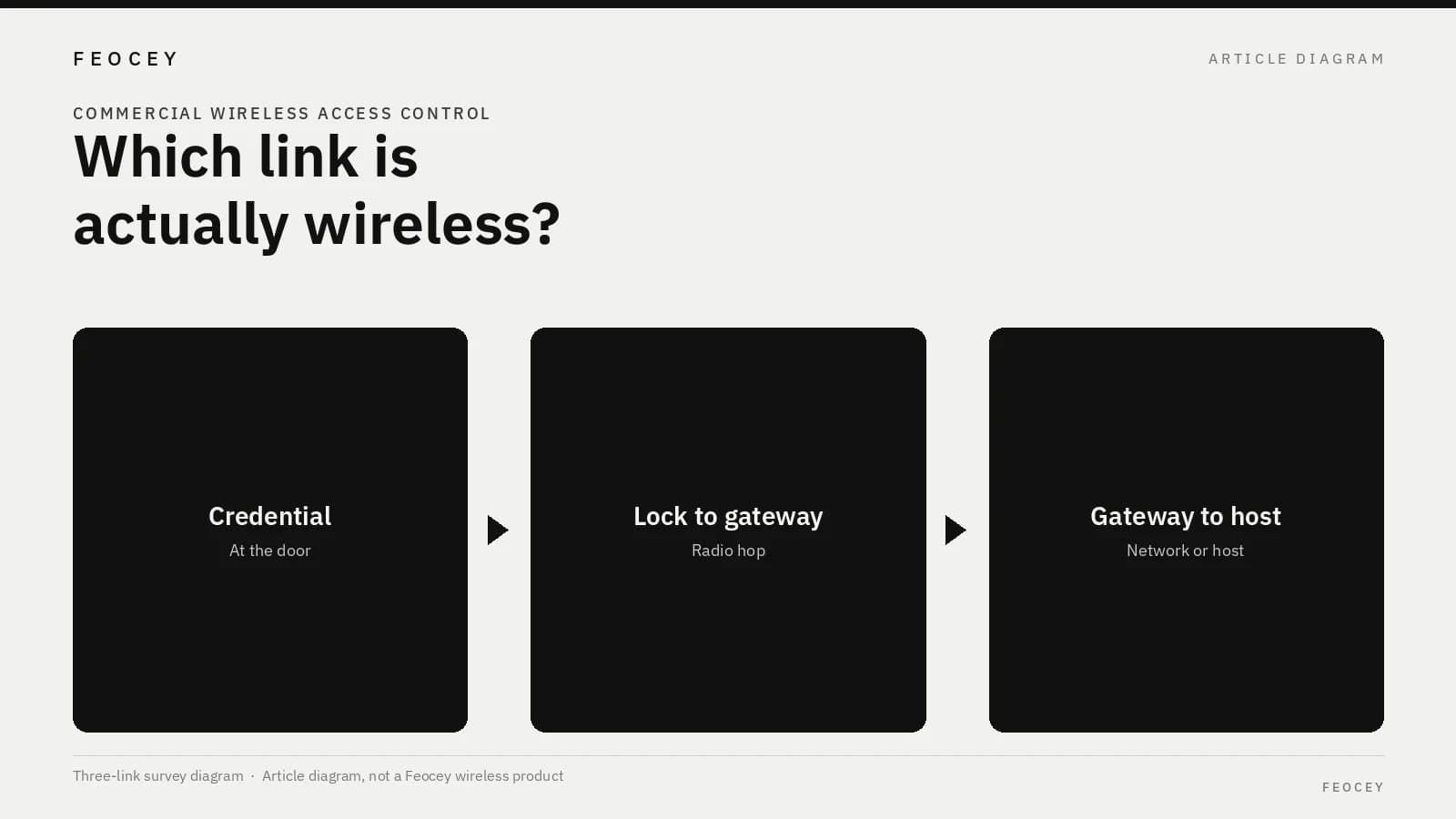
A mobile credential, a battery lock, or a Wi-Fi sticker alone does not make a commercial door “wireless.” This procurement-planning brief for U.S. facility and IT buyers and low-voltage integrators maps three links, their power, a gateway survey, and maintenance before a retrofit is treated as a wireless access system. This is not a Feocey wireless-product guide and does not claim that Feocey supplies a commercial wireless lock, gateway, or battery-lock package. The vendor documents below describe those vendors’ own systems. Use them as questions to ask. They are not Feocey compatibility data or substitute specifications. Map three separate links. One can be wireless while the others stay wired or battery-powered.
**Credential-to-reader** is the interaction at the door: a card, a phone, or another presented credential talking to a reader or lock. That hop can be wireless while the rest of the opening still needs cable or power.
**Lock-to-gateway** is the path from the lock or door device to a nearby gateway, hub, or panel. This is the radio hop many commercial “wireless lock” catalogs describe.
**Gateway-to-host** is how that gateway reaches the access host or software: a local network cable, another radio, or a path the datasheet treats as a separate interface. Phone credentials belong to the first hop only and do not make the lock-to-gateway or gateway-to-host path wireless. A phone that unlocks a still-wired reader is a credential choice, not a wireless-lock architecture. Mobile access control and phone credentials already covers QR, NFC, and BLE credential choices. If a bid uses one “wireless door” line, ask the bidder to mark which of the three links is actually radio in that design, and which remain cable or a local power feed. The answer can differ from door to door in the same project. An interior office door and a stairwell door can share a marketing name and still have different power and gateway paths. Schlage’s ENGAGE gateway datasheet documents that split for its own product: the gateway-to-lock radio is described separately from host connections, including IP with Power over Ethernet and RS-485, and a detailed site survey is recommended against the actual physical and RF conditions. Use that structure as a question set: what is the lock radio, what is the host interface, and what survey is required. Do not copy its coverage, device counts, timing, battery figures, or third-party compatibility, or treat them as Feocey values. See the ENGAGE Gateway data sheet. BEST’s Wi-Q catalog is a second commercial example. It describes a wireless gateway and built-in wireless site-survey functionality for that vendor’s system. Ask the chosen supplier for the equivalent reference for the system being bid. Do not transplant Wi-Q radio functions, gateway features, or certifications as Feocey capabilities. See the BEST Wi-Q catalog.
Identify which components still require power or cabling
For each opening, name the lock or strike, reader if separate, gateway or panel, and host path. Then record, for the selected configuration only:
Do not fill these rows with generic read ranges, battery years, or door-cycle times. Those belong in the chosen product’s current documentation. A “wireless lock” can still need a powered gateway and a network drop in a closet or ceiling, and the door can still need a strike feed even when the lock body is battery-powered. Record those remaining feeds on the opening, not in a general wireless budget. If the gateway shares a closet with other network equipment, name who owns the switch port and who may reset the gateway.
If some doors will stay on Power over Ethernet, keep that budget in Power over Ethernet (PoE) for access control. This article does not repeat port or switch calculations. A wireless lock label still requires a power or network plan at the gateway or the host.
- Which of those items still need a line-voltage or low-voltage feed
- Which items, if any, are proposed as battery-powered
- Which links remain wired even if the marketing name includes “wireless”
- Who owns the closest power source and any required network drop
Request a survey for the proposed gateway arrangement
A catalog page is not a site survey. Ask the bidder to survey the proposed gateway arrangement: how many gateways, where they would sit, which doors they would serve, and what evidence will be accepted if a door is added or a wall is changed.
Require the survey method to match the selected vendor’s own guidance. Do not accept a generic claim that it should work through drywall. Record:
If the bidder cannot describe a method, record it as an open item. Do not invent a coverage distance. If the vendor’s own datasheet already calls for a site survey, a bid that skips that step is incomplete, even if the product name includes “wireless.” A walk-through with a different radio family, or a test in an empty room, is not evidence for the walls, doors, and furnishings on this site. Ask the bidder to record where each proposed gateway would sit and which doors it is expected to serve, so a later layout change can be re-checked against the same map.
- Construction, doors, and furnishings the bidder treated as relevant
- Whether the test used the same radio band and product family as the bid
- What happens if a metal door, elevator core, or storage rack sits between a lock and its intended gateway
- Who repeats the survey after furniture, partitions, or racking change
Assign battery and gateway maintenance responsibilities
A wireless retrofit can move labor from cable pulling to battery and gateway upkeep. Write down, before purchase:
Leave the interval blank until the chosen product’s current documentation can fill it. Do not borrow a battery life from another catalog. If two lock families are proposed in the same building, do not assume they share a maintenance interval or a spare gateway. Write where spare gateways and configuration copies are kept, and who is allowed to put a spare into service without changing the door list attached to a neighboring gateway.
- Who inspects and replaces batteries, the interval the supplier will commit to for the selected lock, and how depleted doors are reported
- Who keeps firmware, gateway configuration, and spare gateways
- How a failed gateway is isolated without taking down every opening on that hop
- Who is on site and who is remote when a door cannot be reached after hours
Specify a failed-link and restoration evaluation
For each of the three links, state what the opening does if that link is lost, how the loss is reported, and what restoration requires.
A radio path being down is not the same fact as the lock still knowing who may enter. Offline permission, cached credentials, delayed event upload, and fail-safe or fail-secure hardware behavior are separate statements. Require each one in writing for the proposed configuration. If the supplier only repeats the word wireless, treat offline authorization as not demonstrated.
This article does not specify where permissions are stored and does not claim a Feocey offline or wireless-lock behavior. A local battery does not, by itself, prove that a credential presented during a gateway outage will be accepted, logged, or later uploaded.
Ask the same questions on each hop, because the failure is not the same event. If the lock-to-gateway radio is lost, the issue is what the opening will still do at the door. If the gateway-to-host path is lost, the issue may be command delivery, event reporting, or both, while the lock radio is still up. Write the expected behavior and the restoration steps for each hop before treating the retrofit as accepted.
Record path, power, survey and maintenance on one sheet
Fill this register from the selected configuration and current vendor documents. Cite the selected vendor’s current document in the evidence column. Do not copy figures from a different catalog.
A completed row is a statement about the bid in front of you. An empty row, or a row filled with another vendor’s published range, is not a survey. If a door will remain wired, say so on that row rather than omitting the opening from a “wireless” sheet.
| Link or item | Ends / path in the bid | Power or cabling still required | Survey or coverage evidence | Maintenance owner and failed-link expectation |
|---|---|---|---|---|
| Credential-to-reader | — | — | — | — |
| Lock-to-gateway | — | — | — | — |
| Gateway-to-host | — | — | — | — |
| Door power (lock, strike, reader) | — | — | — | — |
| Gateway power and network drop | — | — | — | — |
| Battery service, if proposed | — | — | — | — |
Common mistakes, short answers, and the next project step
The items below are planning errors, not a claim that Feocey offers a commercial wireless lock and gateway system.
**Does a mobile credential make the whole access system wireless?** No. The credential-to-reader interaction can be wireless while readers, controllers, locks, or gateways still need wired connections or power. Map each link and its supply requirement for the proposed architecture.
**Is a catalog coverage claim a completed site survey?** No. Ask for a survey that uses the selected product family and records the actual construction, proposed gateway locations, and doors served. A generic statement that the radio should work through drywall is not that survey.
**Does this guide state that Feocey supplies the wireless-lock system used as an example?** No. The cited commercial gateway documents describe their vendors’ own systems. This is a procurement-planning guide. It is not a Feocey wireless-controller, gateway, or battery-lock compatibility claim.
**What should we send next?** Complete the register for the doors in the first retrofit group, including power, survey method, maintenance owners, and failed-link behavior. Ask the bidder to attach the current vendor documents used to fill those cells. A hardware-scope conversation about credentials, installation environment, host, and communication path is not a promise that Feocey can supply or replace a Schlage, BEST, or other wireless lock-and-gateway system.
- Treating a mobile credential as proof that the lock-to-gateway and gateway-to-host paths are wireless
- Skipping a vendor-specific site survey because the catalog uses the word wireless
- Copying battery life, device counts, or coverage distance from another vendor’s datasheet
- Leaving gateway power, network drops, and after-hours restoration unassigned
- Inferring offline permission, cached credentials, or event upload from a radio label
- Reading a product Wi-Fi interface or a development-module BLE interface as a commercial wireless-lock system
Source references
Feocey mobile access control and phone credentials ↗Feocey Power over Ethernet (PoE) for access control ↗Put the guide to work
Find the reference for your model.
Compare each device with your requirements. Confirm configuration and compatibility for the complete installation.
Discuss your project ↗