
Asset locker planning
Asset Management Lockers: Plan an IT Break/Fix Device Exchange
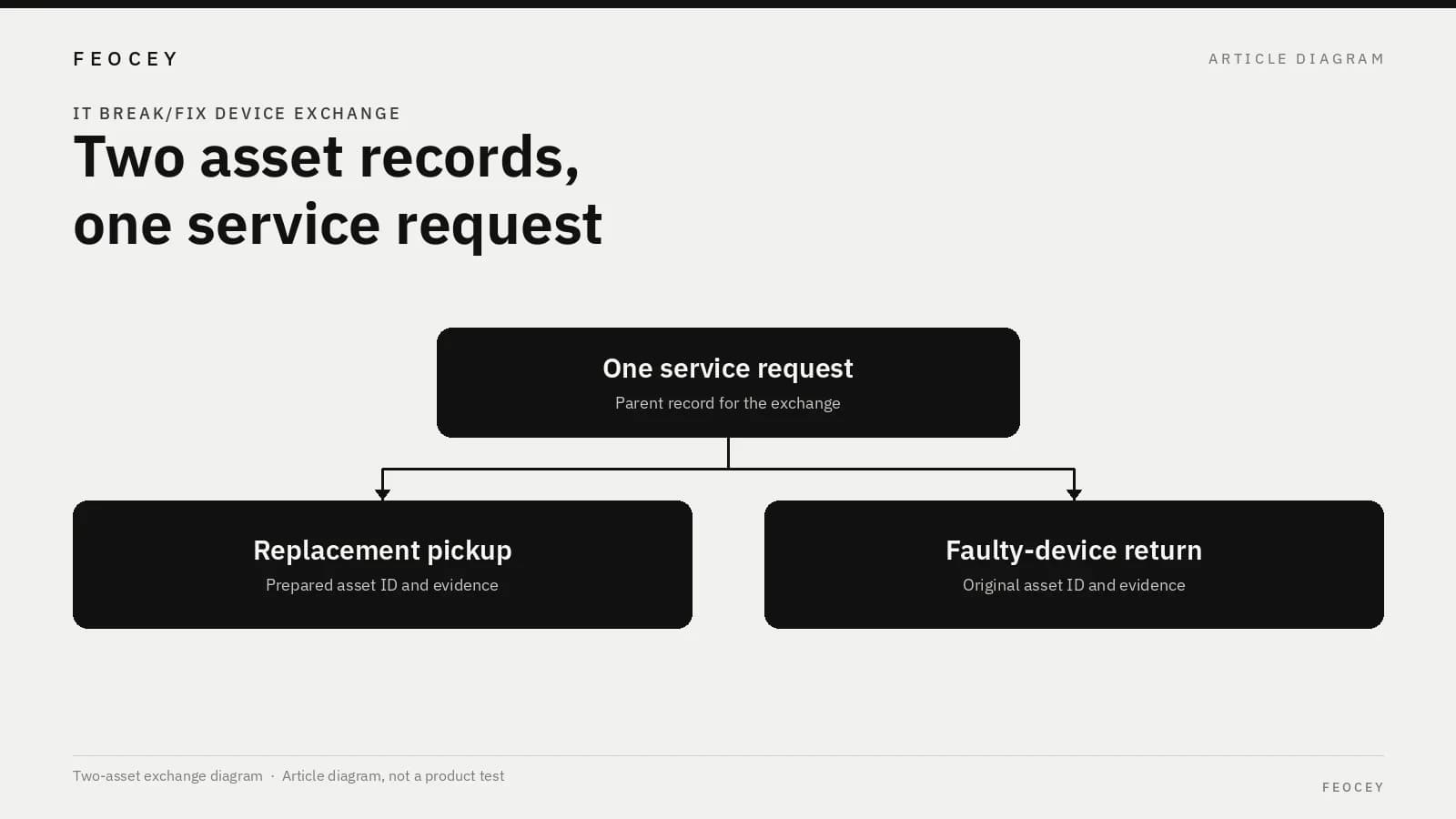
Plan an IT break/fix device exchange with two asset IDs under one service request, independent pickup and return evidence, and a locker role limited to compartment release—not device identification or ticket closure.
Before you choose
Key takeaways.
- Record the faulty device and the prepared replacement as two asset IDs under one service request.
- Keep pickup and return as independent obligations, with their own evidence and closing rules.
- Limit the locker to releasing a named compartment to an authorized person and recording that the compartment was used; do not treat a door event or a closed ticket as proof of a correct return.
Start with one service request and two different device identities
An IT break/fix exchange is two different devices moving under one service request. The person who needs a working managed device may collect a prepared replacement today and return the faulty unit later—or attempt both in the same visit. IT service-desk buyers, locker integrators, and asset-platform partners can use this scope brief to keep those two movements as separate obligations.
The locker, if you use one, may control who can open a named compartment and when. It is not, on the evidence of Feocey’s public locker description, a substitute for the asset ledger or the IT service-management tool that already owns the ticket. Do not buy the cabinet as if it were that software.
Write one service-request identifier, then two asset identifiers: the faulty device that should come back, and the prepared replacement that may go out. Those IDs must stay distinct for the life of the request. If the organization already uses asset tags or serial numbers, reuse those values. Do not invent a second numbering scheme at the locker.
A single “loaner laptop” line hides the risk that matters. Someone can collect the replacement and never return the original, return the wrong unit, or return a unit with a missing charger, battery, or docking accessory. If the project records only one item against the ticket, a completed pickup can look like a completed exchange. The service desk then closes the request because the user is working again, and the original device remains unaccounted for.
The two IDs also protect the replacement stock. If the same record is reused for both movements, a delayed return can look like an unissued spare, or an already issued spare can be assigned again. Keep the request as the parent record and the two assets as child records, even when the handoff happens at a locker.
This exchange is not a general loan-and-return locker process, and it is not a visitor-badge stock process. Feocey’s article on reusable visitor-badge inventory already covers assignment, return-for-inspection, and a ledger for that kind of asset. The requirement here is two device identities under one IT request, with independent pickup and return evidence.
Warehouse door control and parcel pickup codes are different subjects; see Planning access control for a warehouse and Parcel locker system: missing pickup code. Neither article covers in-building IT device custody.
Define the authorized replacement pickup
Describe the replacement path as its own sequence. Do not treat “the ticket is open” as authorization to collect any available spare.
Record, at minimum:
If preparation is delayed, the locker should not become the place that invents a substitute asset ID. A compartment that happens to contain another spare is not an authorized issue. If the authorization expires, say whether the compartment is released back to IT, who may reassign that spare, and how the ticket is updated.
Complete the pickup fields on the planning sheet before the compartment is reserved. Use values from the IT process already in use. The sheet is a form, not a completed project result.
If the recipient is a delegate rather than the ticket owner, write that rule before the first exchange. Enrollment at the locker does not, by itself, decide whether that person may collect this replacement.
- Who prepares the replacement and marks it ready (imaged, tagged, or otherwise released under the IT process you already use)
- Which service request and which replacement asset ID are authorized
- Who is allowed to collect it, and how that person is identified at the locker or desk
- When the pickup authorization expires if it is not collected
- What evidence counts as “picked up” (compartment opened, a signed handoff, a scan in the asset system, or a combination you name)
Define the faulty-device return independently
The return is not the reverse of the pickup. It can happen earlier, later, or not at all, and it can be incomplete even when a compartment is used.
Write rules for:
Each of those should leave the return obligation open until the responsible IT process says otherwise. Do not let an opened return compartment alone mark the faulty device as recovered.
List the accessories that must come back with the device on the same request, not in a separate informal note. A laptop without its named power adapter is a partial return. Decide whether the compartment may still be used in that case, and what the desk records. The locker can show that a door was opened. It cannot, on Feocey’s public locker description, confirm that the expected device and accessories are inside.
If the user keeps the faulty device after collecting the replacement, or returns a similar-looking unit, the return obligation is still open. Write who inspects the item after collection from the locker, and how long that inspection may take before the obligation can be closed.
- A return attempt that does not match the expected faulty asset ID
- A return that is missing listed accessories
- A pickup that was completed while the return is still outstanding
- A return with no matching open request
Decide when the service desk can close each obligation
Give the service desk two closing conditions, not one: the replacement obligation and the return obligation. Either can be done, blocked, or cancelled without automatically finishing the other.
A ticket moved to “resolved” because the user has a working device can hide a missing original. An open or closed locker door can only show that a compartment was used, not that the expected asset is inside. State what evidence the desk must have before it releases the user, closes the return obligation, or both.
Physical inspection, asset tagging, and any data-handling or erasure steps belong to the IT process and the people accountable for it. This article does not provide erasure instructions or assign those duties to the locker.
If the replacement issue is cancelled—because a repair was completed without a swap, or because the user already had a spare—close or cancel the pickup obligation explicitly. Do not leave a reserved compartment authorized after the request no longer needs it. If the return is cancelled, for example because the original is written off, record that decision in the IT process. Cancelling one obligation does not create a success record for the other.
Record the exchange on one planning sheet
Use a single page that both the locker supplier and the asset or ITSM platform can review. The fields below are required planning entries, not a built-in Feocey software model and not a claim of US stock or a standard asset-locker SKU. Complete them for a named test request before anyone treats the locker as ready for a live exchange. If a field cannot be filled, record that it is out of scope and who owns the residual risk. A blank cell is not a decision.
Keep custody language explicit. After pickup, who owns the replacement in the asset record—the user, the service desk, or a pool location? After a successful return, who owns the faulty device until inspection is finished? If those owners are unclear, ticket status will drift even when the locker event log looks complete.
| Field | Test / project entry |
|---|---|
| Service request test ID | — |
| Faulty asset ID | — |
| Replacement asset ID | — |
| Replacement prepared by / ready evidence | — |
| Authorized recipient and pickup expiry | — |
| Pickup evidence required | — |
| Faulty-device return evidence required | — |
| Custody owner after pickup | — |
| Custody owner after a successful return | — |
| Rule for wrong item or missing accessory | — |
| IT inspection / data-handling owner | — |
| Who may close the pickup obligation | — |
| Who may close the return obligation | — |
| Locker functions in scope | Compartment release and use only, unless otherwise confirmed |
Keep the locker limited to compartment control
Some asset-locker marketing describes checkout and check-in of individual items, and sometimes a connection to IT ticketing platforms. Ricoh USA’s inventory and asset-management locker brochure discusses secured check-out and check-in so an organization can record when an item was checked out or returned and by whom, and it lists integration with an existing incident or request service-management system. That is Ricoh’s product description, used here only as background for why buyers ask these questions. It does not transfer automatic sensing, charging, alerts, or an ITSM connector to Feocey. See the Ricoh USA Smart Lockers Inventory and Asset Management brochure.
Ricoh USA’s smart-locker overview discusses integration with IT ticketing and service-management platforms so repairs or maintenance can be distributed. That, too, is Ricoh’s description. The two-asset, asynchronous exchange timing in this article is a procurement recommendation, not a Ricoh packaged workflow and not a Feocey capability. See the Ricoh USA Smart Lockers Overview.
The Feocey smart lockers product page describes a locker control board and an electric lock on each compartment, used with a Feocey face terminal, such as FCV5003, or with an embedded FC6820 for passcode access. The cabinet can be the customer’s own design, and Feocey can supply the internals—the board and the locks—plus the access device. A bay is assigned temporarily for each use; only that bay opens after verification; management covers groups, cabinets, records and settings. That locker-management description does not establish automatic item identification, charging, weighing, an IT asset ledger, or a connector to ServiceNow or any other ITSM tool.
Keep the locker scope limited to releasing a named compartment to an authorized person, under a request you already created in your IT process, and recording that the compartment was used. Device identity checks, accessory checklists, and ticket transitions stay in the IT system of record unless a later, evidence-backed integration is specified.
Common mistakes, short answers, and the next project step
The items below are common planning errors, not a claim about a specific installation.
**Why should a device exchange use two asset records?** The faulty device and its replacement are different physical assets. Record pickup and return separately under the service request so a completed pickup does not silently resolve a missing or incorrect return.
**Does opening the return compartment verify the faulty device?** No. The responsible IT process confirms the returned item, accessories, and custody. The product page describes compartment control, not device identification, inspection, data erasure, or ticket closure.
**Can the pickup and the return happen on different days?** Yes. Write the pickup expiry, the return due rule, and the evidence required for each movement before the first live exchange.
**What should we send next?** Complete the planning sheet for one named test request, including both asset IDs and both closing rules. Share it with the locker supplier and the team that owns the asset or ITSM record. Treat the first exchange as a process test: a completed pickup must leave the return obligation open, and a compartment event alone must not close either obligation.
- Treating the locker event log as the asset ledger
- Closing the service request when the replacement is collected, before the return obligation is settled
- Allowing any enrolled person to open a reserved compartment
- Letting the locker assign a substitute spare when the prepared asset ID is not ready
- Copying another vendor’s checkout or ITSM language into a Feocey locker scope of work
Source references
Feocey reusable visitor-badge inventory ↗Feocey planning access control for a warehouse ↗Feocey parcel locker system: missing pickup code ↗Put the guide to work
Find the reference for your model.
Compare each device with your requirements. Confirm configuration and compatibility for the complete installation.
Discuss your project ↗