
Face access control
FCV5005 Face Terminal: A Practical Guide to Multi-Credential Access Integration
Plan FCV5005 multi-credential access by assigning clear roles to the terminal, management platform and door equipment, then test each permission path and exception.
Before you choose
Key takeaways.
- Define one permission policy across the credential methods confirmed for FCV5005.
- Separate terminal interaction, platform permissions and physical door operation.
- Test permission removal and recovery before repeating the installation.
Multi-credential access needs one agreed permission policy
FCV5005 face terminal integration works best when the terminal, management platform and door equipment have clear responsibilities. Select the required credential modules and application, decide where permissions are checked, and test the same entrance rule through each supported credential path. Several ways to identify a person should not create several conflicting definitions of who may enter.
Hikvision’s October 22, 2026 Quick Pass announcement puts unified management of people and vehicle access in the industry conversation. That release describes another vendor’s system, not FCV5005 compatibility or performance. The useful procurement question for an FCV5005 project is narrower: how will the selected components apply and explain one permission decision?
This guide addresses face-terminal and multi-credential integration. It does not replace the separate FCV5005 mobile-answering guide or assume that an intercom application, visitor platform or particular card module is bundled with every unit. Use the following responsibilities and tests to define the configuration your project actually needs.
Start with the confirmed FCV5005 configuration
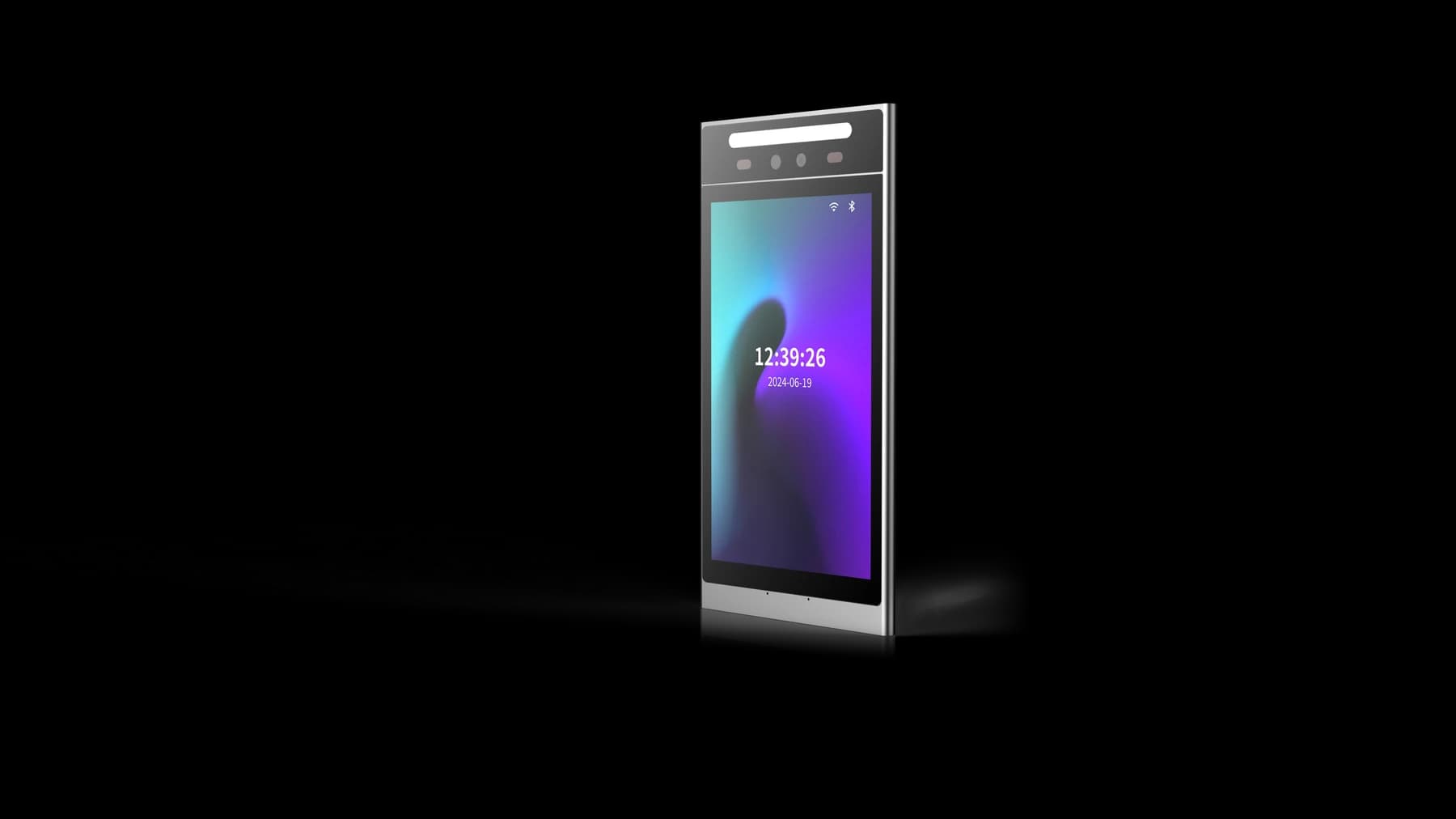
FCV5005 is a Linux terminal with an 8-inch, 800 × 1280 touch display. Its product information lists Ethernet, RS485 and Wiegand 26/34 interfaces, subject to the selected cable set. Wireless options include 2.4 GHz Wi-Fi and 4G, with modules and regional applicability requiring confirmation. Those connection choices should be recorded in the order specification.
The FCV5005 product information provides a DejaOS application-development route. Development capability is a way to build a matched workflow, not evidence that every stock application exposes the same protocol. Request the reference for the supplied application and agree whether the project uses a standard-device interface or separately scoped device software development.
For multi-credential access, list the intended face, card or other credential interactions as requirements to confirm. Ask which modules, application functions and permission flows support each requirement. Avoid using a demonstration screen, a related face-terminal model or a third-party platform’s feature list as evidence that the selected FCV5005 configuration already includes the same function.
Give the terminal a precise interaction role
The FCV5005 terminal is the entrance interaction point in the proposed arrangement. The selected application can define what the person is asked to present and how the result is communicated. Specify the intended screen flow with the supplier: ready state, credential presentation, processing, result and an understandable route to assistance.
Keep a credential recognition result distinct from authorization to open the door. A staff identity may be known to the system yet lack permission at that entrance or time. The FCV5005 application and receiving system need an agreed way to express that difference, so operators do not interpret every successful identification as an access grant.
Ask for the terminal’s message and response behavior to be documented against the supplied application. Include how the host identifies a device, how results correspond to a presentation and what happens if a response is unavailable. These are integration requirements to verify; they are not a claim that FCV5005 provides a universal event or command API.
Make the platform own the chosen permission lifecycle
The management platform in an FCV5005 project should have a named owner for identities, entrance permissions and permission changes. Agree which system is authoritative before connecting several credentials to one person. Otherwise, removing an employee’s face permission could leave an independently managed alternative credential usable when the site intended all access to end.
Document a small lifecycle for each user group: create the identity, enroll or assign the approved credential, grant the relevant entrance, change the permission and remove access. For visitors, add the start and end of the visit. Ask the integrator to map those steps to the chosen platform and terminal application rather than assuming the lifecycle from a device brochure.
The site also needs an approved information-handling process for any identity and face data used by the selected system. Confirm storage, operator access and removal procedures with the responsible parties. FCV5005 hardware selection does not by itself establish legal compliance, a particular retention policy or a particular data-storage location.
Assign door equipment a separate, testable responsibility
The FCV5005 permission workflow must connect to an approved door-control arrangement. Identify the component that receives the authorized command and operates the intended door or gate. Confirm the supplied interfaces, electrical requirements and wiring against the exact terminal application, controller and door hardware used in the pilot.
A project drawing should distinguish the credential interaction, access decision, physical command and any door-state information. If the project needs proof of actual passage, identify how that evidence is obtained; an authorization message alone does not demonstrate that a person passed through an entrance. Confirm every feedback path rather than assuming a sensor or input is present.
Review terminal power separately from lock power and controller contact ratings. FCV5005 specifies 9–24 V DC input, with 12 V recommended. The installer should match the complete electrical arrangement and emergency exit design to the site. Do not copy a relay rating, wiring promise or emergency behavior from another model into the FCV5005 specification.
Use a responsibility table before integration begins
The table below is a proposed division of work for an FCV5005 project. It is not a statement that Feocey supplies every listed platform function or that every application already implements the proposed behavior. Name an owner and retain a reference for each row before treating the arrangement as ready for commissioning.
| Responsibility | Owner to agree | Acceptance evidence |
|---|---|---|
| Credential presentation and screen result | FCV5005 application supplier / developer | Demonstrated workflow on the supplied configuration |
| Identity enrollment and credential assignment | Management platform owner | Approved create, change and removal process |
| Entrance and time permissions | Named permission authority | Same rule tested through every selected credential |
| Authorized door command and wiring | Controller integrator and installer | Correct door action using the final wiring drawing |
| Interruption, assistance and recovery | Software integrator and site operator | Observed exception tests and operator instructions |
| Information access and removal procedure | Site information owner and system provider | Documented storage, access and removal responsibilities |
Check each credential against the same entrance rule
A useful FCV5005 pilot starts with one defined entrance and a small set of test identities. Give each identity a known permission status and use only credential methods confirmed for the supplied configuration. Compare the results against the same policy before expanding to additional entrances or user groups.
Test removal and restriction as carefully as normal entry. If one credential is revoked, decide whether the site intends only that credential or the entire identity to lose access. Then demonstrate the result through every selected route. The permission owner should be able to explain the observed difference without relying on an undocumented terminal setting.
- Record the FCV5005 hardware configuration, credential modules, firmware and application version.
- Match the protocol reference and receiving platform to the supplied application.
- Grant one identity permission at the intended entrance and test every selected credential route.
- Test an identity without permission, then change and remove permission through the approved process.
- Check repeated presentations, unavailable responses and the intended physical door action.
- Retain configuration records, test results and operator instructions for repeat installations.
Treat repeated events and recovery as integration cases
A person may present a credential again if the FCV5005 screen does not show a clear outcome. Define how the selected application and host handle that second presentation. If the system repeats a request, agree how the receiving service prevents an unintended duplicate physical command. Confirm the implemented mechanism instead of assuming duplicate suppression from the terminal category.
Test a host interruption after credential presentation and before the result reaches the terminal. Decide what the screen should show, whether operator assistance is required and how any pending request is handled. After restoring the connection, confirm that recovery follows the approved policy and does not produce an unintended delayed entry command.
Offline behavior depends on the supplied application and system design. Ask whether any local permission method exists, how its rules are managed and what limitations apply; do not assume an offline face database, cached temporary permissions or automatic reconciliation. An unanswered capability question should remain a commissioning item with an owner and a due decision.
Review the FCV5005 physical interaction at the real entrance
The FCV5005 portrait display should be assessed at the proposed installation point, with the people and approach paths the site expects. Review visibility, reach, credential presentation and assistance instructions. Use those observations to improve the chosen application flow, without turning a limited pilot into an unsupported recognition accuracy or throughput claim.
Wall and pedestal arrangements need the matching bracket, cable routing and accessories confirmed before ordering. Wireless and card-reader modules also depend on configuration. Check the exact drawing and cable set for the supplied FCV5005 rather than treating an application illustration or a product photograph as a packing-list commitment.
Prepare a complete FCV5005 project brief
Send Feocey the user groups, required credentials, permission authority, receiving platform, installation drawing and responsibility table. Include the exception tests that matter to your entrance and identify any proposed custom application work. Those details let the supplier distinguish confirmed hardware, configuration choices and development tasks before the project commits to volume deployment.
Start with the FCV5005 product page, its matching user manual and the hardware integration guidance. The best multi-credential arrangement is one that demonstrates consistent permissions, understandable user feedback and clear ownership of the physical entrance. Approve that complete arrangement on a sample, then retain the evidence for the next installation.
Source references
FCV5005 user manual ↗Industry context: Hikvision Quick Pass launch, October 22, 2026 ↗Put the guide to work
Find the reference for your model.
Compare each device with your requirements. Confirm configuration and compatibility for the complete installation.
FCV5005 →
8-inch face authentication terminal
Ask about FCV5005 ↗