
Project planning
Coworking Software Checklist: Day Passes, Room Bookings and Door Permissions
Use this coworking software checklist to separate day-pass validity, room reservations and door permissions. Plan the host system, an FC7780 reading point and an ordered pilot before committing to a wider installation.
Before you choose
Key takeaways.
- Day passes, room reservations and door permissions need separate states and clearly assigned owners.
- Match FC7780 credentials, output and installation to the actual host; a reading point is not a complete coworking platform.
- Use an ordered pilot to verify changes, denied access, outages and member removal before expansion.
Choose coworking software around the permissions each journey needs
Coworking software should connect day passes and room bookings to the correct door permissions without treating them as the same entitlement. A day pass may cover a shared entrance while a meeting-room reservation covers one room and a defined time. Start the procurement discussion with those journeys, then identify the system that grants, changes and removes each permission.
The best coworking software fit depends on the operator's actual services and integration responsibilities. A platform team may need a compatible reading point and clear event handling; an operator may be buying a complete management solution. Separate those requirements before comparing feature lists. A device connection, a booking calendar and a finished coworking service are different parts of the buying decision.
Separate day-pass validity from meeting-room reservations
For a coworking day pass, describe who may use it, which shared areas it covers and when access starts and expires. Decide whether a guest must complete a reception step before entering. Record the intended behaviour for an early arrival, an expired pass and a pass withdrawn after issue. These are operator policies to confirm with the selected software, not automatic features of a reader.
For room bookings, describe the reserved room and its own access window. Cancelling a room reservation should not silently become cancellation of unrelated building permission unless the agreed policy requires that result. Likewise, moving a booking should not grant both rooms indefinitely. Test each change against the affected door and preserve the distinction between the reservation record and the subsequent entrance event.
Place FC7780 at the reading point, with the host owning the rule
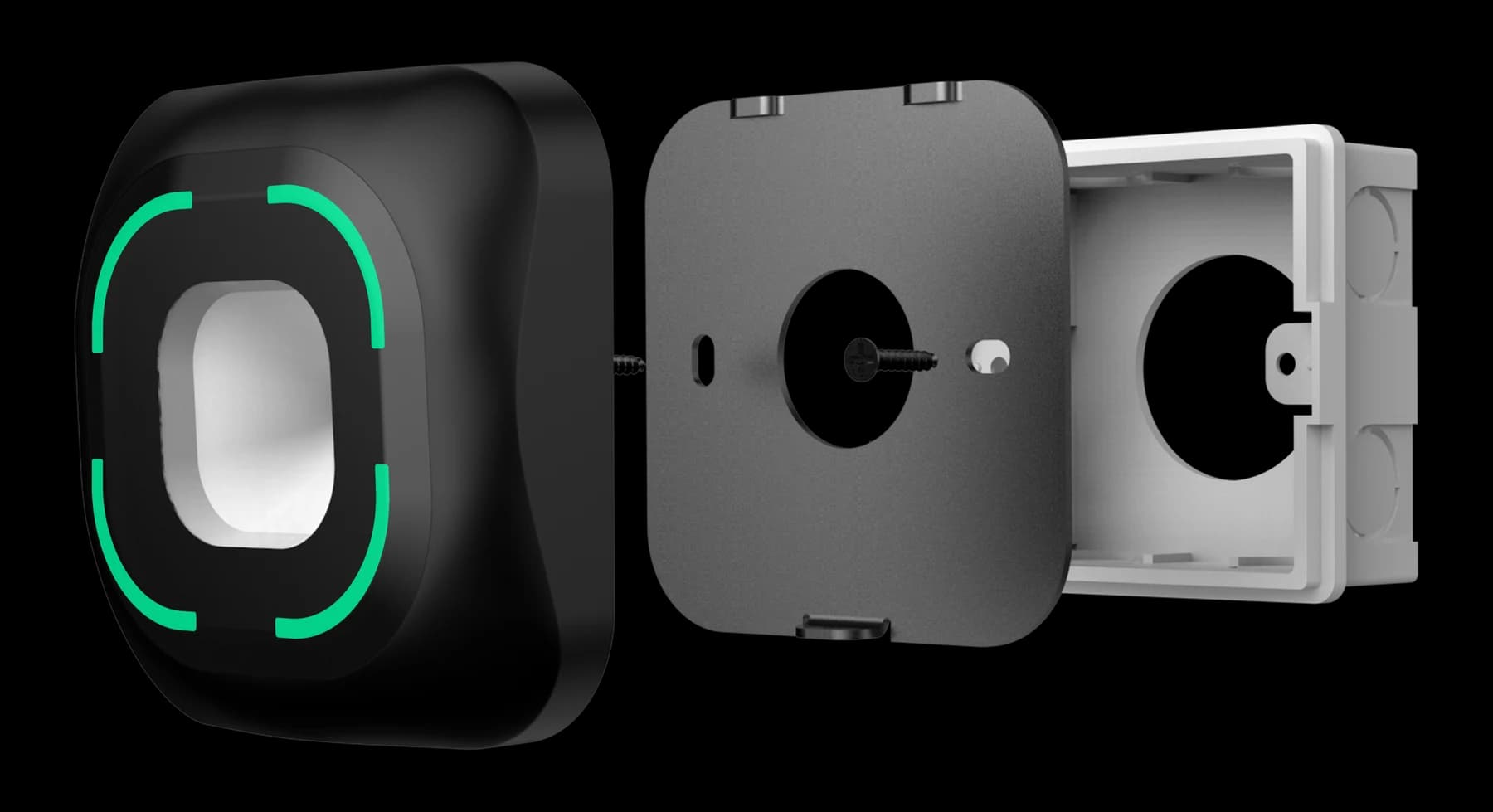
FC7780 provides a QR and supported NFC reading point for a door or shared-space entrance. Its current product information describes an 86-box installation and connection options selected for the access system. A coworking project should match the credential technology, output, data format and power to the actual host or controller before selecting the configuration.
FC7780 reading a credential does not establish that a day pass is active or a room is reserved. The receiving system applies the configured permission rule, and the matched entrance equipment performs the door action. Confirm any relay option and wiring separately. Do not infer a ready-made coworking software connector, mobile-credential service or booking application from a network, serial or Wiegand interface name.
Use a procurement checklist that follows the coworking workflow
Give software suppliers, device providers and the installer the same coworking checklist. Request a concrete answer and an evidence owner for each item. A demonstration using an unrelated account or a different reader configuration should not replace a test of the proposed installation.
- Buyer and delivery scope: complete coworking software, devices for an existing platform, implementation services, or a specifically agreed combination.
- Permission owner: the application that grants day-pass, member, guest and room access, including the administrator allowed to change each rule.
- Credential scope: QR content, NFC technology, issuing system, validity and the supported FC7780 configuration used for the evaluation.
- Booking changes: cancellation, rescheduling, early arrival and extensions, with the affected area and permission update clearly identified.
- Interface evidence: host or controller model, output, data format, firmware and a matched integration reference rather than a port label alone.
- Installation evidence: mounting drawing, rear clearance, cable route, supply and the door equipment needed for the selected entrance.
- Operational support: rejected credentials, repeated attempts, outage behaviour, event access and the staff process for an exception.
- Commercial scope: software licensing, deployment, local support and any billing service, confirmed independently of the hardware quotation.
Keep tenant administration and member changes explicit
Coworking permissions need an administrator map as well as a door map. Define which staff can invite guests, issue day passes, approve room access, view records and remove credentials. Distinguish shared building areas from tenant-controlled areas. A convenient common credential should not obscure which administrator authorised access to a particular room or who can withdraw that permission.
When a member leaves or a tenant moves, list the records and permissions affected. Confirm how the change reaches each relevant decision point and how staff can verify completion. Access at another location needs its own agreed policy and implementation. A shared brand, membership account or reader model does not establish automatic access across multiple sites.
Pilot coworking software and door permissions in this order
Pilot one shared entrance and one representative booked area before repeating the design. Use the real host software, selected FC7780 configuration and matched door equipment. Give each test an expected permission result, visible user feedback and a record that the operator can explain.
- Draw the two journeys: a day-pass visitor using shared areas, and an authorised member reserving a specific room. Assign stable door and area identifiers.
- Define the pass and reservation states, their time windows and the owner of every permission update. Confirm the installation and connection references before wiring.
- Try a valid arrival, an early arrival and an expired pass at the shared entrance. Check the actual physical result as well as the host response.
- Create a room reservation, move it, cancel it and attempt entry at the original room. Confirm unrelated permissions follow the agreed policy.
- Repeat a scan, delay a host response and disconnect the selected network path. Test the agreed fallback and reconcile records after recovery.
- Remove a test member or guest, verify the affected permissions and hand over the accepted versions, configuration, drawings and unresolved exceptions.
Test the reading point without confusing it with the booking system
The FC7780 evaluation should include representative phone QR codes and the supported NFC credentials actually proposed for the site. Check presentation position, user approach and service access at the planned mounting point. Ask for the drawing matching the supplied assembly before preparing the wall. The displayed product assembly is a mounting reference, not a promise that every pictured item is included with every order.
Coworking acceptance also needs denied cases. Try a valid credential with no permission for the requested room and a reservation assigned to a different area. Compare credential capture, the host decision and the door action. A release command alone does not prove that a person passed through the door; use only the event meaning the installed equipment can support.
Prepare a specific FC7780 coworking enquiry
A useful coworking enquiry includes the current software, the proposed permission owner, one day-pass journey and one room-booking journey. Add the controller model, credential type, required output, firmware information and a mounting photograph or drawing. Mark software functions, third-party connectors and commercial services that still require confirmation instead of assuming they arrive with the reading point.
Review office-building access planning and the hardware integration overview, then inspect FC7780 product information. Use FC7780 resources to check available material or request the matching FC7780 reference. A complete brief lets the teams confirm a feasible path before the operator commits to further doors.
Source references
Feocey: Planning access control for an office building ↗Feocey: Choosing access control for a gym (membership and entrance responsibilities) ↗Put the guide to work
Find the reference for your model.
Compare each device with your requirements. Confirm configuration and compatibility for the complete installation.
FC7780 →
86-box QR and NFC reader
Ask about FC7780 ↗