
Face access control
FCV4905 Face Recognition Access Control: Finding the Best Fit for Staff and Visitors
Choose FCV4905 face access around the people using the entrance. Compare staff enrollment, temporary visitor handling and alternative credentials before selecting the configuration.
Before you choose
Key takeaways.
- Define separate staff and visitor journeys before selecting FCV4905 credentials.
- Credential options and platform compatibility require configuration confirmation.
- Test enrollment, permission removal and assisted entry as well as normal access.
Choose an FCV4905 workflow for each group of people
FCV4905 face recognition access control should start with the difference between a returning employee and a first-time visitor. A staff workflow may justify a managed enrollment process; a short visitor appointment may need a different credential and an attended exception route. Choose the application and credential configuration after defining those two journeys.
A Reddit discussion about biometric visitor management asks whether face enrollment belongs in the visitor process at all. That is a useful buyer question, not proof that one credential is always better. For FCV4905, the best fit depends on the site’s enrollment workload, access policy and confirmed configuration.
What the FCV4905 hardware establishes
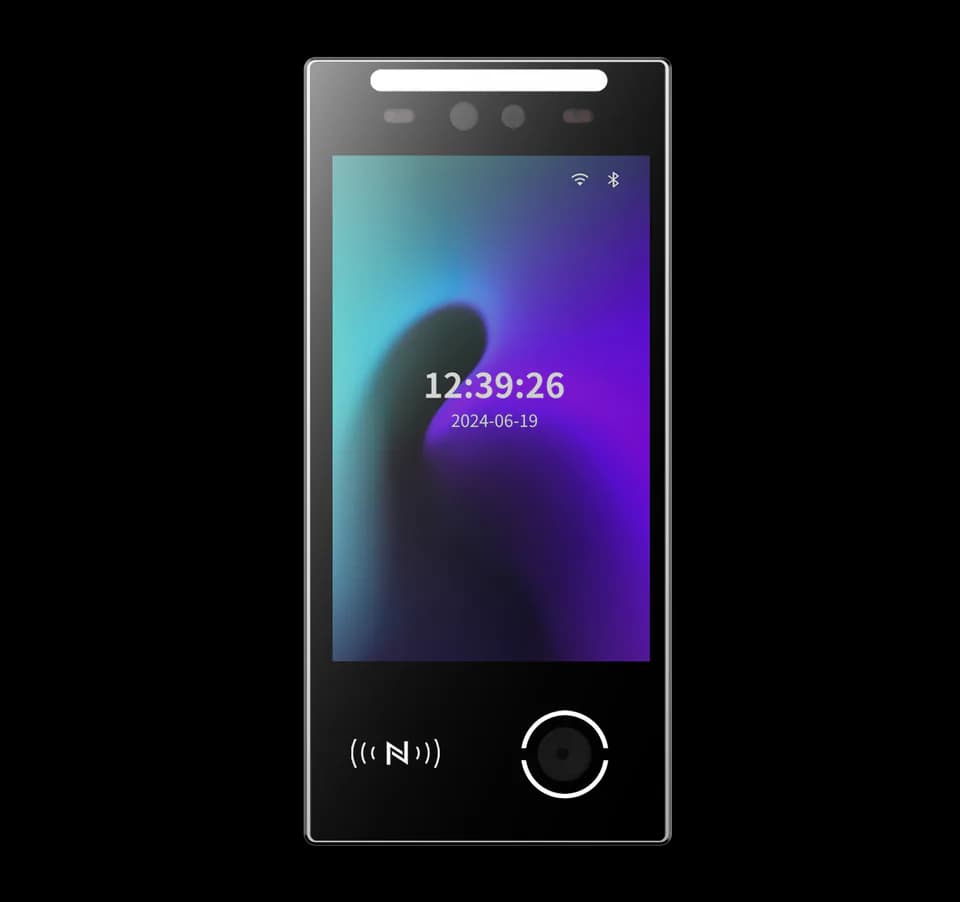
FCV4905 provides an 8-inch, 800 × 1280 touch display on a Linux platform. Ethernet, RS485 and Wiegand connections are configuration dependent, and wireless modules must be confirmed for the order. The terminal’s physical interfaces do not establish compatibility with every management platform or controller.
Face, QR code, card and password availability on FCV4905 depends on the selected configuration and application. Confirm the required credential modules and workflow with Feocey before designing a mixed staff-and-visitor entrance. A list of possible credentials is not a guarantee that every combination is included or can share the same permission rules.
Make staff enrollment an operational process
For recurring staff access, define who creates an identity, who enrolls the person and who grants the entrance permission. The FCV4905 interaction should fit that managed process. Identity recognition and permission to open a particular door are separate checks, so an enrolled employee should not automatically receive access to every entrance.
The staff workflow also needs changes and departures. Decide how the managing system removes a permission, how operators verify that the change reached the selected arrangement, and how a person obtains help when the normal credential fails. Test those actions with the actual FCV4905 application rather than approving only a successful recognition demonstration.
Keep the visitor journey proportionate to the visit
A visitor workflow should specify the appointment, approving host, permitted entrance and end of the visit. For an FCV4905 project, decide whether visitors are enrolled for face access or use another confirmed credential route. The choice should reflect the site’s actual operating requirements rather than a desire to make every person follow the staff process.
For a visitor attending one meeting, an enrollment step may add a reception task that the site does not need. A repeat contractor may have a different requirement. Describe both cases to the integrator, including arrival without a phone or an unreadable credential. Do not assume that an alternative route is available until the chosen configuration and application demonstrate it.
Confirm data handling and a usable alternative
Any FCV4905 face-access project needs the operator’s approved process for explaining enrollment, handling the relevant data and managing removal requests. Ask where information is stored, who can access it and how removal works in the selected system. This is a project verification task, not a claim that the terminal itself provides a particular legal compliance outcome.
Plan an alternative credential or attended process for people who cannot complete the normal interaction. Confirm the available FCV4905 modules, the permission rules applied to the alternative and the operator responsible for assistance. A fallback should preserve the intended access decision rather than quietly become a shared unrestricted pass.
Use a staff-and-visitor pilot checklist
An FCV4905 sample evaluation should include people and exception cases that resemble the intended entrance. Test at the planned mounting position and lighting, and record the supplied application and configuration. Avoid turning a small demonstration into an unsupported recognition-rate or performance claim.
- Enroll a staff identity through the approved process, then grant only the intended entrance permission.
- Change and remove that permission, and confirm the observed result at the terminal.
- Complete a visitor arrival and departure using the selected credential route.
- Demonstrate an unavailable or unsuccessful normal credential and the agreed assistance process.
- Check interruption and recovery behavior with the chosen host and door arrangement.
- Retain operator instructions and the configuration used for the pilot.
Match the FCV4905 installation to the entrance
FCV4905 installation arrangements can include wall, pedestal, desktop or floor-stand positions, with mounting accessories selected separately. Confirm the exact bracket, cable exit and placement against the installation drawing. A product illustration should not be treated as a statement that every pictured accessory is included.
The FCV4905 power specification is 9–24 V DC, with 12 V recommended. Review terminal power, controller wiring and door hardware together with the installer. Outdoor suitability and any required wireless option need confirmation for the supplied configuration; do not transfer a rating or module promise from another face-terminal model.
Bring two clear journeys to your FCV4905 enquiry
Send Feocey a short staff journey and a short visitor journey, plus the proposed management platform and entrance drawing. Identify which credential each group needs and how reception handles exceptions. Those inputs make it possible to discuss the FCV4905 configuration, matching manual and integration requirements without assuming an unverified software bundle.
The best FCV4905 face-access fit is a confirmed arrangement that staff can operate consistently and visitors can understand. Approve the sample against enrollment, permission changes and exception handling together. That decision is more useful than choosing a terminal solely because a specification lists several possible credentials.
Source references
FCV4905 user manual ↗Buyer discussion: biometrics for visitors (Reddit; anecdotal) ↗Put the guide to work
Find the reference for your model.
Compare each device with your requirements. Confirm configuration and compatibility for the complete installation.
FCV4905 →
8-inch face authentication terminal
Ask about FCV4905 ↗