

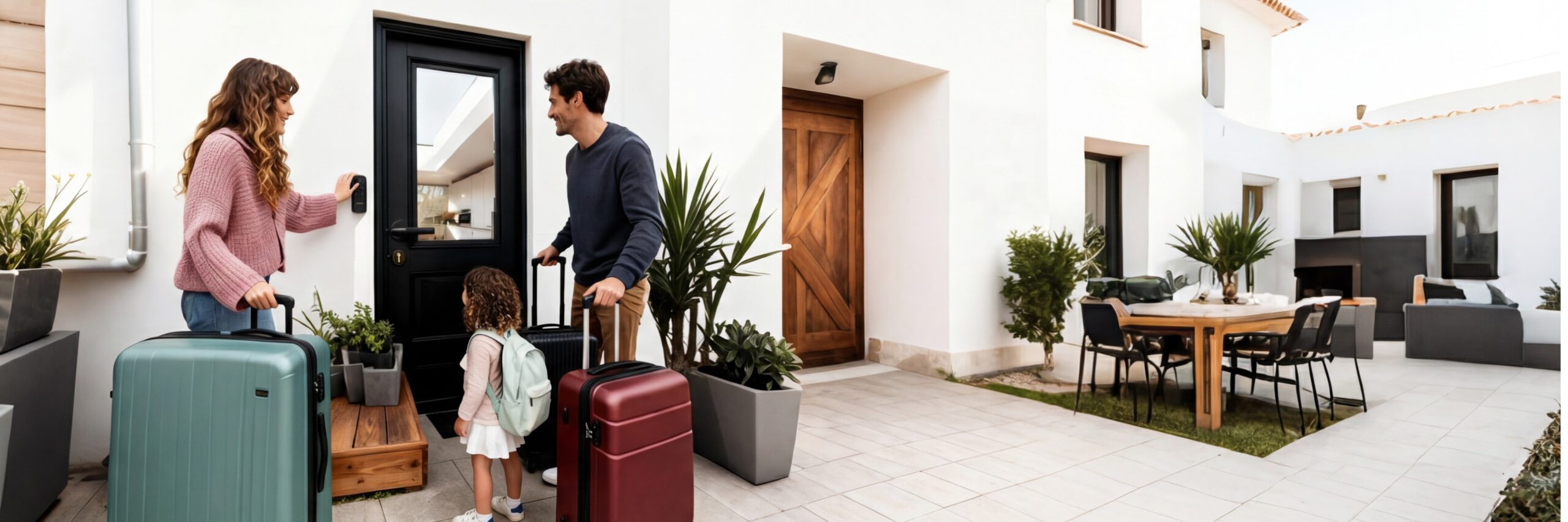
The smart lock market has exploded. A quick Amazon search returns hundreds of options — fingerprint locks, WiFi locks, retrofit locks, locks with cameras, locks that talk to Alexa. It’s overwhelming.
This buyer’s guide cuts through the noise. We compare smart locks by what actually matters: security, installation, connectivity, price, and use case. Whether you’re a homeowner, renter, or Airbnb host, you’ll find the right lock here.
How We Compare Smart Locks
Every lock in this guide is evaluated on five criteria:
|
Criteria |
What We Look For |
|
Security |
ANSI/BHMA grade, encryption standard, tamper protection |
|
Installation |
DIY-friendly? Tools required? Fits standard US doors? |
|
Connectivity |
Bluetooth, WiFi, gateway? Remote access capability? |
|
Smart Home |
Alexa, Google, Apple HomeKit compatibility |
|
Value |
Features per dollar, not just the lowest price |
Smart Lock Categories — Which Type Fits Your Life?
Before comparing individual locks, understand the categories.
1. Deadbolt Replacement Locks
Best for: Homeowners who want a full upgrade.
These replace your existing deadbolt entirely. They look like traditional locks from the outside but pack smart features inside.
- Pros: Clean look, full feature set, most secure option
- Cons: Requires removing existing hardware, not always renter-friendly
- Example: Feocey X, August Smart Lock Pro
2. Retrofit Locks
Best for: Renters who can’t modify their door.
These attach to the inside of your door over the existing deadbolt. Your outside lock and key stay the same.
- Pros: No drilling, landlord-approved, easy to remove
- Cons: Bulkier on the inside, fewer features on some models
- Example: August Smart Lock, Wyze Lock
3. Keypad Deadbolts
Best for: Families and Airbnb hosts who want code-based entry.
A traditional deadbolt with a keypad. Enter a code to unlock. No smartphone required.
- Pros: Simple, no app dependency, great for guests
- Cons: No remote access (Bluetooth-only models), limited features
- Example: Schlage Encode, Kwikset Halo
4. Fingerprint Smart Locks
Best for: Personal use, fast one-touch access.
Biometric locks that read your fingerprint. No codes to remember, no phone to pull out.
- Pros: Fastest unlock method, can’t lose or forget your “key”
- Cons: Fingerprint sensors can struggle with wet/dirty fingers, usually more expensive
- Example: Ultraloq U-Bolt Pro, Eufy Smart Lock Touch
5. Smart Locks with Cameras
Best for: Front doors where you want to see who’s there.
A deadbolt + video doorbell in one device. Unlock and see visitors from one app.
- Pros: All-in-one security, see delivery people and guests
- Cons: Expensive, faster battery drain, bulkier design
- Example: Eufy Video Smart Lock, Lockly Vision
Head-to-Head Comparison: Top Picks by Use Case
🏠 Best for Homeowners: Deadbolt Replacement + Full Features
|
Feature |
Feocey X |
August WiFi |
Schlage Encode |
|
Type |
Deadbolt replacement |
Retrofit |
Deadbolt replacement |
|
Entry Methods |
Keypad, App, Key |
App, Key |
Keypad, Key |
|
Connectivity |
Bluetooth + WiFi Gateway |
Built-in WiFi |
Built-in WiFi |
|
Installation |
~8 min, screwdriver |
~10 min, screwdriver |
~15 min, screwdriver |
|
Auto-Lock |
✅ |
✅ |
✅ |
|
Alexa/Google |
✅ |
✅ |
✅ |
|
Apple Home Key |
❌ |
❌ |
❌ |
|
Battery Life |
8-12 months |
3-6 months |
6 months |
|
Price Range |
$$ |
$$$ |
$$$ |
Our pick: Feocey X offers the best balance of features and price. The Bluetooth + WiFi gateway design means longer battery life than built-in WiFi locks, and the 8-minute installation is genuinely DIY-friendly.
🏢 Best for Renters: No-Drill Retrofit
|
Feature |
Wyze Lock |
August Smart Lock |
SwitchBot Lock |
|
Type |
Retrofit |
Retrofit |
Retrofit |
|
Installation |
Adhesive + screws |
Screws over deadbolt |
Adhesive over thumbturn |
|
Remote Access |
Via WiFi Bridge (extra) |
Via Connect Bridge (extra) |
Via Hub (extra) |
|
Auto-Unlock |
✅ |
✅ |
❌ |
|
Price |
$ |
$$$ |
$ |
Our pick: Wyze Lock for budget-conscious renters. August for those who want the most polished experience. Both preserve your existing key and outside hardware.
🔑 Best for Airbnb Hosts: Remote Access + Guest Codes
|
Feature |
Feocey X |
Schlage Encode |
Yale Assure Lock 2 |
|
One-Time PIN |
✅ |
✅ |
✅ |
|
Remote Management |
✅ (via gateway) |
✅ (built-in WiFi) |
✅ (via WiFi module) |
|
Activity Log |
✅ |
✅ |
✅ |
|
Scheduled Codes |
✅ |
❌ |
✅ |
|
Price |
$$ |
$$$ |
$$$ |
Our pick: Feocey X for value. Yale Assure Lock 2 if you need the most advanced access scheduling.
👴 Best for Elderly Family Members: Simple + Reliable
Look for:
- Large, backlit keypad buttons — easy to see and press
- RFID card/fob option — no codes to memorize
- Physical key backup — familiar and fail-safe
- Auto-lock — never worry about forgetting to lock
What to Avoid When Buying a Smart Lock
🚩 Red Flags:
- “No-name” brands with no warranty. If you can’t find a real company behind the product, skip it. A lock is a security device, not a phone case.
- Locks that require a hub but don’t include it. Check if the “WiFi” feature requires a separate $50-80 hub.
- Proprietary apps with bad reviews. The hardware might be great, but if the app is buggy, you’ll hate using it daily. Check app store reviews before buying.
- No auto-lock feature. You will forget to lock your door at some point. Auto-lock saves you.
- Batteries that are hard to replace. Some locks require partial disassembly to change batteries. Look for external battery compartments.
The Smart Lock Buying Checklist
Before you click “Buy Now,” run through this:
Measured door thickness (1-3/8″ to 2″ standard)
Confirmed deadbolt bore hole diameter (2-1/8″ standard)
Checked landlord rules (if renting)
Decided on entry method (keypad, fingerprint, app, or combo)
Decided on connectivity (Bluetooth only vs. WiFi/gateway)
Verified smart home compatibility (Alexa, Google, Apple)
Read app store reviews (not just Amazon reviews)
Confirmed battery type and replacement process
Checked warranty length and support channels
Our Top Recommendation
If you want one lock that covers the most common use cases — homeowners, renters (with landlord permission), and Airbnb hosts — the Feocey X Smart Door Lock is our top pick for 2026.
It installs in 8 minutes on standard US deadbolts, supports keypad + app + physical key entry, connects via Bluetooth with an optional WiFi gateway for remote access, and includes auto-lock, tamper alarm, and one-time PIN codes for guests.
Looking for more detailed comparisons? Check out below