
Access hardware

FCS525

Access keypad and IC card reader

A keypad at the entrance.

A touch keypad and IC card reader for access-control installations. FCS525 combines a numeric interface with Wiegand, doorbell and relay connections.

  • Touch keypad & IC card
  • 86-box installation
  • 12 V DC
Interaction
Card + keypad12 capacitive touch keys
Controller output
Wiegand 26/34Match the receiving controller and data format
Installation
86-box · 12 V DCConfirm mounting and the supplied cable set

Inside FCS525

Choose the credential. Define the door action.

FCS525 combines an IC card reader with a touch keypad for entrances where people use a card or password. Its connections include Wiegand output, doorbell control and a relay. Plan the selected operating mode, permissions and lock circuit together before installation.

Plan the installation
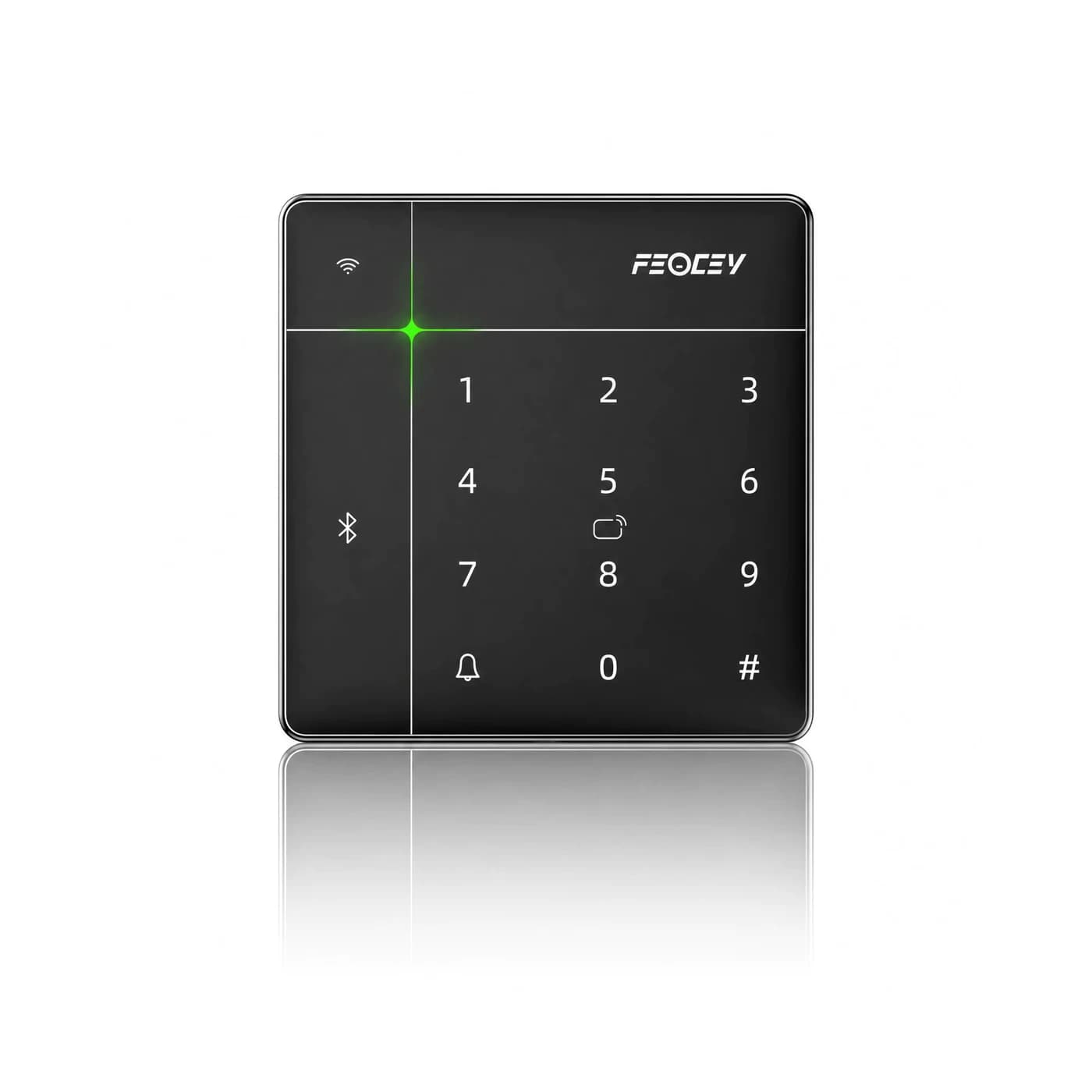
FCS525 card reader and numeric touch keypad
FCS525 · touch keypad with card-reading area

Choose around your project

The details that
make it fit.

01

Card or password

Define who can enter and which credentials they will use. The manual describes IC card and password access; mobile Bluetooth access depends on the matched application and account setup.

02

Controller output or relay circuit

For an external controller, match the Wiegand 26/34 output and credential format. For a relay-based installation, confirm the selected device mode, lock supply and contact load. These are distinct wiring arrangements.

03

Prepare the mounting point

Use the dimension and installation reference for the supplied device. Plan the 86-box, cable exit and fixing points before finishing the wall; the front-panel thickness does not describe the complete rear clearance.

From credential to action

How the parts
work together.

Wiegand is not RS485. The FCS525 manual documents Wiegand output, while FCC4904 documents RS485 reader ports; these documents do not establish a direct connection between the two products. Have the integration path confirmed before choosing them as a pair.

  1. 01

    Present a card or enter a PIN

    The visitor uses the credential assigned for the entrance. Keep credential enrolment and permissions within the selected management setup.

  2. 02

    Check the access rule

    The configured terminal or receiving controller applies the permission decision. For the documented online management workflow, bind the device and assign both people and devices to the permission group.

  3. 03

    Operate the matched door circuit

    The approved relay or external controller operates the lock. During commissioning, check allowed and denied credentials, exit operation and the behaviour when the network is unavailable.

Example workflow · confirm the configuration and wiring for the supplied equipment.

Technical details

A closer look.

Options vary by configuration. Use these details to plan your evaluation.

FCS525 specifications
Keypad12 capacitive touch keys: 0–9, doorbell and #
ConstructionIML front panel, aluminum-alloy frame and sheet-metal rear bracket
Access methodsIC card and keypad password; Bluetooth workflows depend on application setup
InterfacesWiegand 26/34, doorbell control and relay
Power input12 V DC
Mounting86-box installation

Installation & connections

Plan the fit.

  1. Use the FCS525 manual dimension and mounting reference to plan the 86-box, cable exit and fixing points. Confirm the rear clearance for the supplied assembly.
  2. Use 12 V DC power and confirm the supplied connector pinout. Keep the Wiegand output, doorbell circuit and relay wiring distinct; the manual lists a 30 V / 1 A relay contact rating, which is not the device supply voltage.
  3. Match the Wiegand 26/34 format to the external controller. Do not connect it to an RS485 reader port without a separately confirmed integration arrangement.
  4. For the documented managed-access workflow, bind the device and assign users and devices to the permission group. Online remote opening requires the correct network and service connection.

Product resources

Manuals & drawings.

Documents for FCS525 →
  • FCS525 user manual

    Manual · English; some Chinese diagrams · PDF · 1.8 MB

    Some installation drawings retain the S430 hardware designation.

    Download PDF

A few things worth knowing.

Does every configuration include the same features?

No. Credential modules, interfaces, mounting parts, network options and software can vary within the same product family. Confirm the exact model and selected options in writing before designing an enclosure, cable set or integration around it.

Your next step

Let’s put FCS525
in your project.

Tell us where it will be used, how it should connect and the quantity you need.

Discuss your project